Watch your documents read themselvesVendor, invoice number, amount and due date appear one by one as Spring reads each bill you upload.Documents › Document reading
One click filters every viewClick a state on the map and the state table and pack list narrow with it. Ask the agent for one retailer and it adds that filter too.Spring Agent › Charts
Pay suppliers in their currencyUpload a bill in another currency, see its dollar value, and choose the currency your supplier is paid in.Invoices & bills › Purchase orders
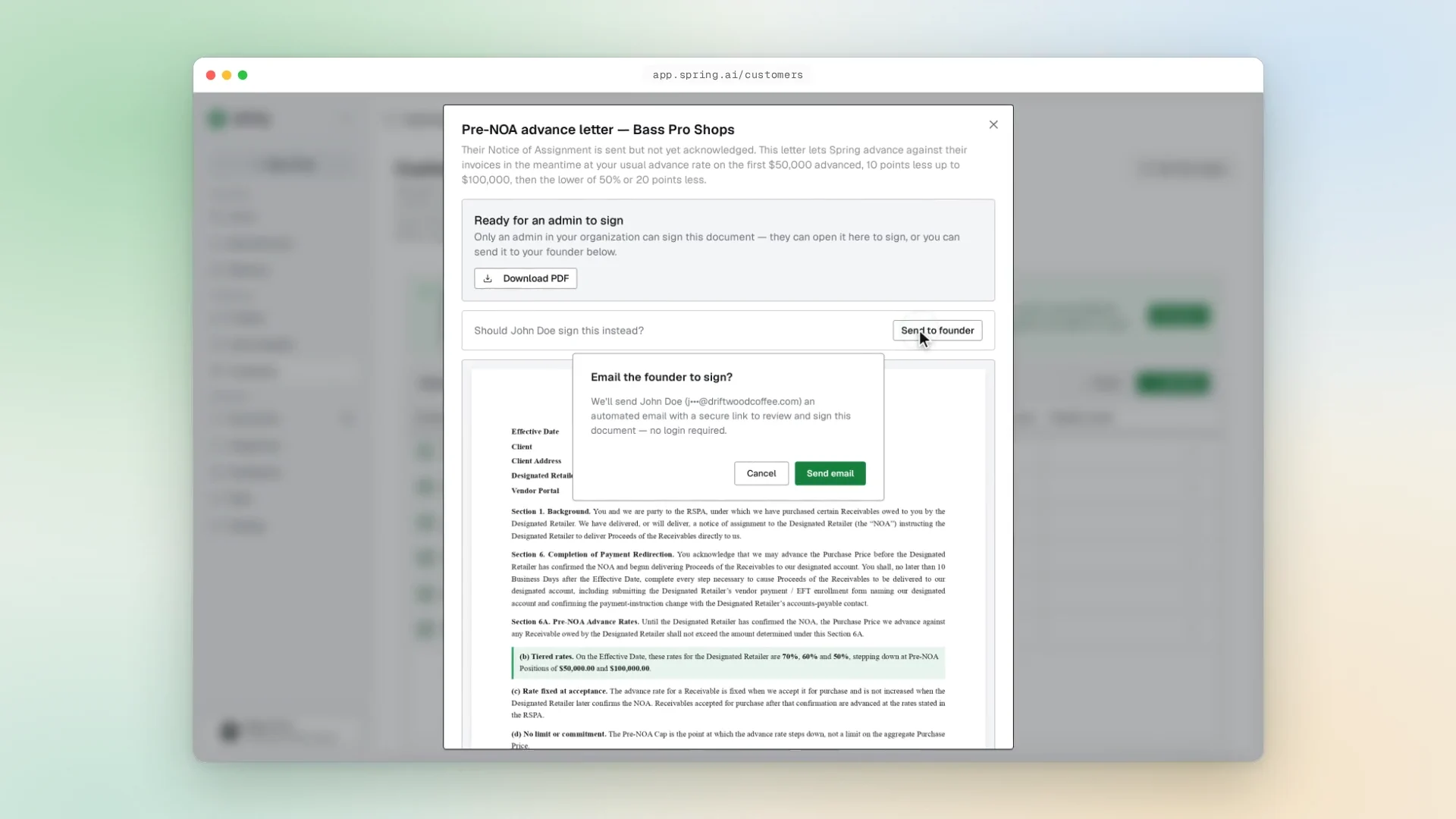
Send paperwork to your founderA teammate who can't sign sends the document straight to the person who must.Documents › Agreements
See every bill a payment coveredMatch each vendor payment on your funding ledger to the bills it paid.Funding › Funding ledger
Sign every waiting bill at onceWhen several bills are waiting on their disclosure, one signature now covers all of them.Funding › Demand Capital
Spring Agent remembers past chatsPick up last week's tables in today's chat instead of rebuilding them.Spring Agent › Memory
Spring sets up its QuickBooks accountsOne click creates the accounts Spring needs in your QuickBooks, with nothing to map by hand.Accounting › QuickBooks
One view of Demand CapitalSee every draw and its repayments in one schedule, and send working capital to your account.Funding › Demand Capital
Products grouped in Spring AgentAsk about products and get a sheet grouped by family, product and pack, with totals at every level.Spring Agent › Charts
Map charts in Spring AgentAsk for a map and any table of states or countries draws as one.Spring Agent › Charts
Your team can prepare NOAsAnyone on your team can set up an NOA, and only signers sign it.Retailers & EDI › Notices of assignment
See every owner on your accountAccount lists everyone who owns the business, with their share and where their invite stands.Account & team › Team
Download your sales statementExport the sales that count toward repayment as a PDF or CSV.Funding › Bridge
Add your NOA inside the portalA guided session walks you through filing Spring's notice of assignment in Target, Walmart or Costco's own portal.Retailers & EDI › Notices of assignment
Track your Bridge repaymentsSee each week's repayment cap, what was counted, and what is still in transit.Funding › Bridge
Add bank accounts fasterReuse a bank login in one click, and share treasury balances too.Banking & cash › Bank connections
Choose who gets which emailsGroup your team and route funding, repayment and document emails to the right people.Account & team › Notifications
More retailer portals connect in SpringConnect H-E-B, URBN, RJW Edge, DOT Foods and Costco without leaving Spring.Retailers & EDI › Retailer portals
See what distributors plan to orderEach pack shows the units and dollars KeHE and UNFI plan to order from you over the next 13 weeks.Retailers & EDI › Products
See principal and fees separatelySplit what you owe into principal and fees, so you know exactly what's left on each.Funding › Funding history
Search your QuickBooks billsBills and invoices from QuickBooks now search, sort, filter and scroll.Accounting › QuickBooks
Match delivery documents to invoicesPODs and BOLs from your mailbox or uploads wait in one list, with the invoice each likely belongs to.Documents › Delivery documents
Choose the PO behind each billPick which purchase order pays a manufacturer bill, or split it across several by amount.Funding › Purchase orders
Retailer suggestionsSpring suggests the retailer portals worth connecting, based on who pays you.Retailers & EDI › Retailer portals
Refresh SPS on demandPull your latest EDI documents now instead of waiting for the overnight sync.Retailers & EDI › EDI
Get funded before NOA acknowledgmentOnce a retailer has your NOA, sign one short letter and start funding their invoices right away.Funding › Notices of assignment
Sales and margin by retailerSee each product's sales and gross margin by retailer, week and state.Retailers & EDI › Products
Delivery status on every invoiceSee whether each invoice shipped and when it was delivered.Invoices & bills › Receivables
Invoices retailers haven't bookedSee EDI invoices your retailer received but never entered in its payables.Invoices & bills › Receivables
Approve QuickBooks entries firstSpring drafts each payment and settlement for QuickBooks; you approve before it posts.Accounting › QuickBooks
Search your funding historyFind any deal by check or remittance number, date, customer or type.Funding › Funding ledger
Import documents from your inboxConnect a mailbox and Spring pulls in invoices, POs and delivery documents.Documents › Email import
Set terms on many POsSelect several purchase orders and give them all the same invoice term in one step.Funding › Purchase orders
Download proof of every paymentEvery payout on your funding ledger comes with a payment confirmation you can hand to your bank or accountant.Funding › Funding history
Every signed agreement in one placeYour agreements and every signed funding disclosure, ready to download from Documents.Documents › Agreements
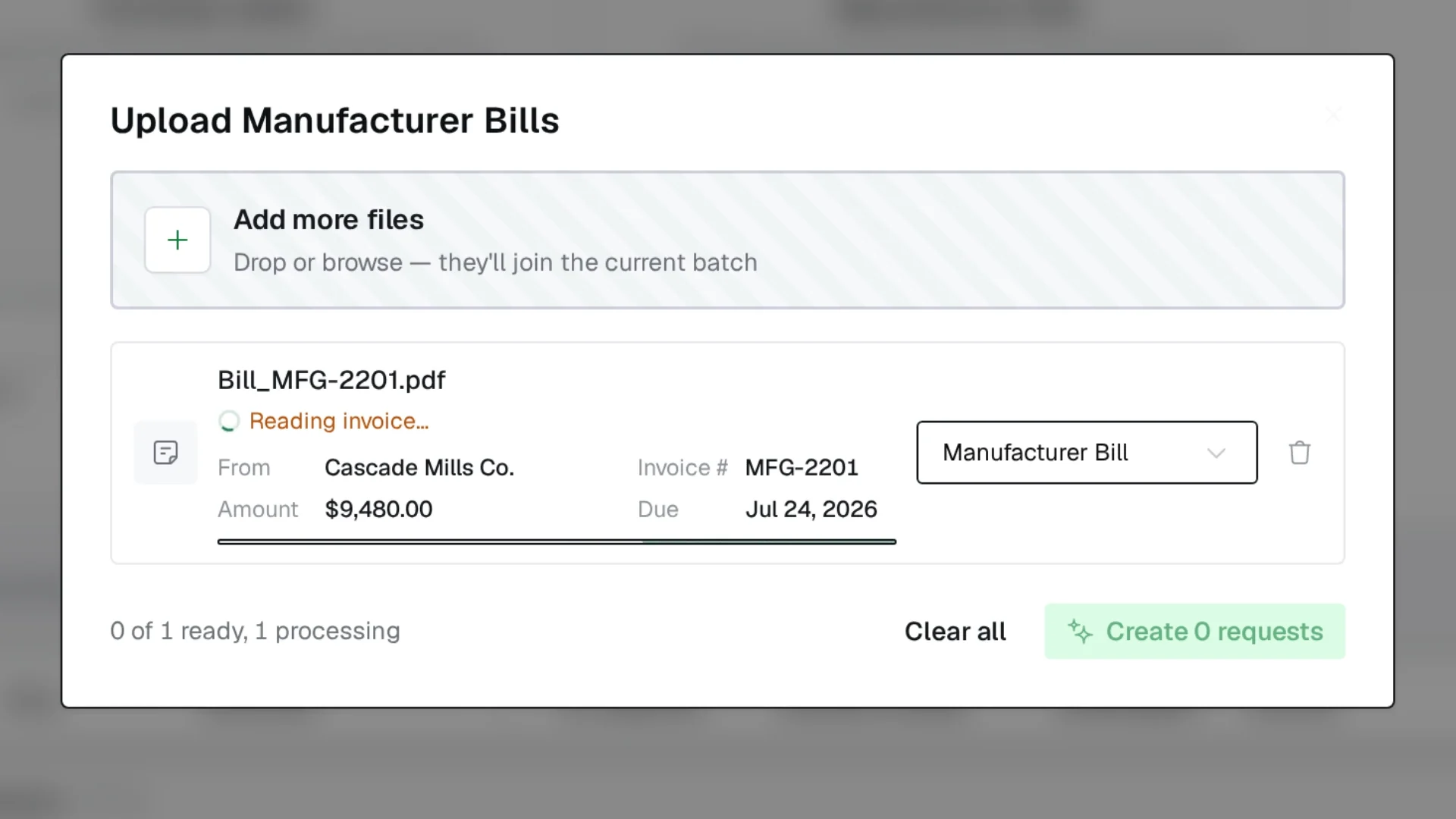 Watch your documents read themselvesVendor, invoice number, amount and due date appear one by one as Spring reads each bill you upload.Documents Document reading
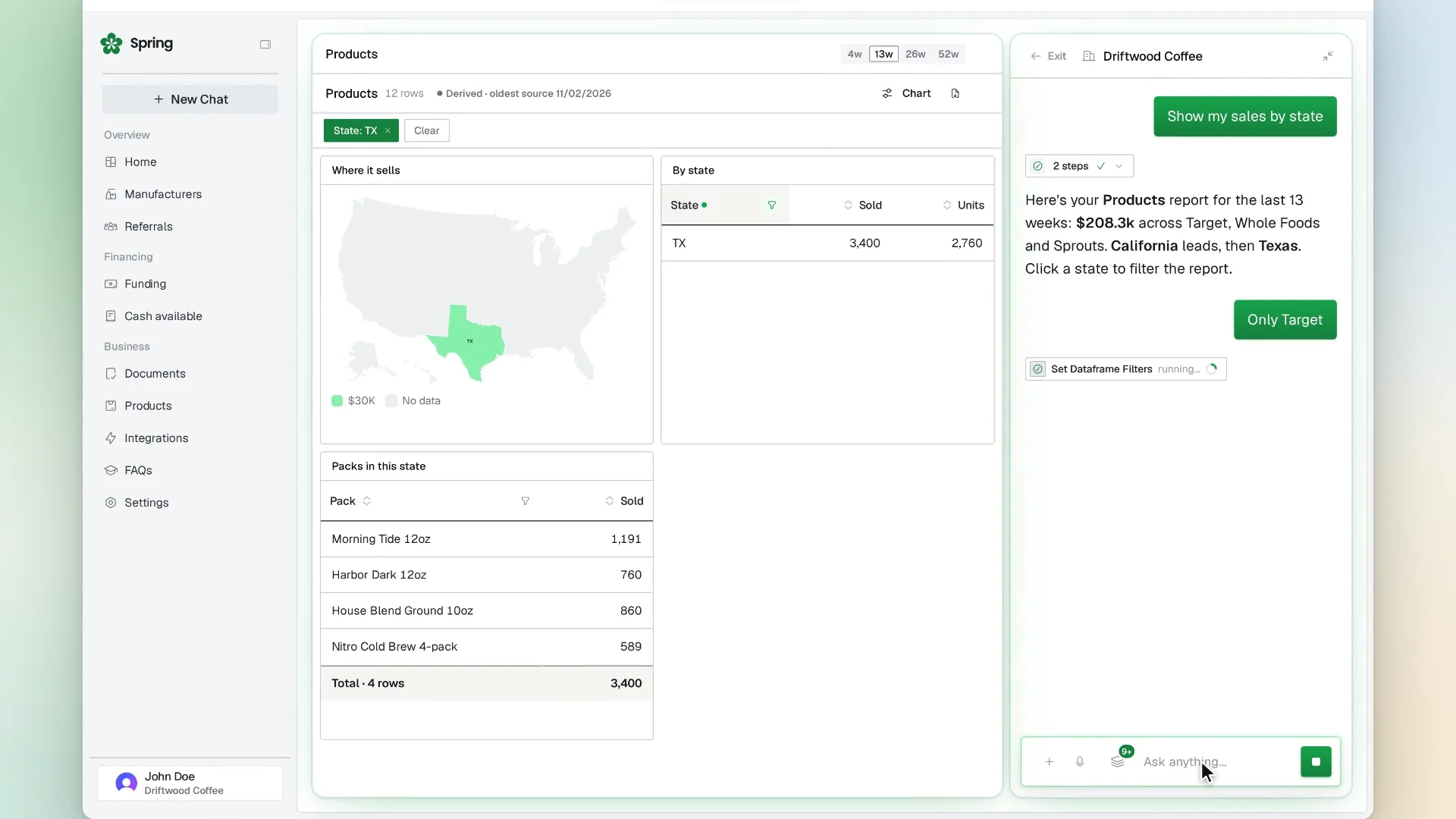 One click filters every viewClick a state on the map and the state table and pack list narrow with it. Ask the agent for one retailer and it adds that filter too.Spring Agent Charts
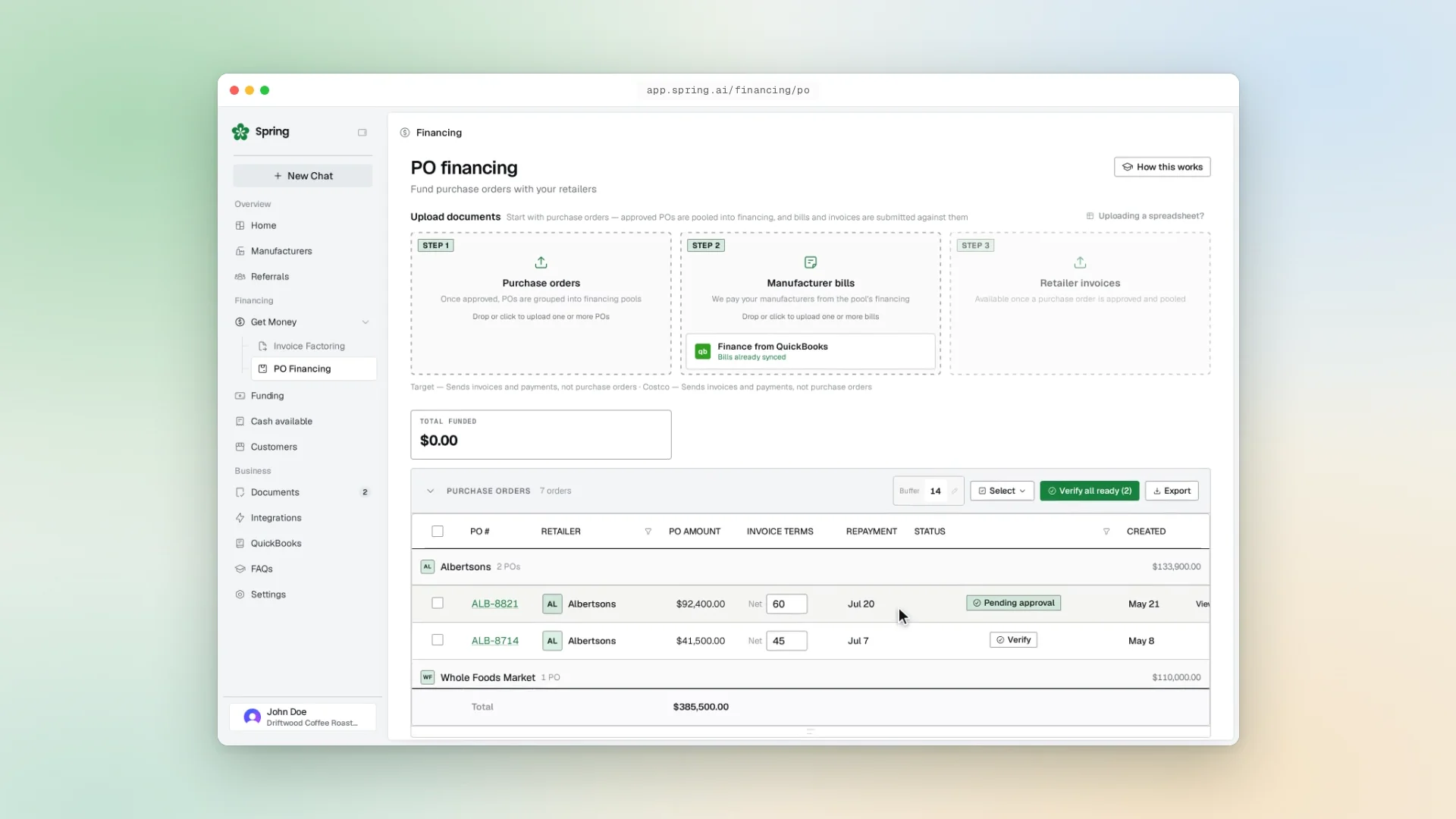 Pay suppliers in their currencyUpload a bill in another currency, see its dollar value, and choose the currency your supplier is paid in.Invoices & bills Purchase orders
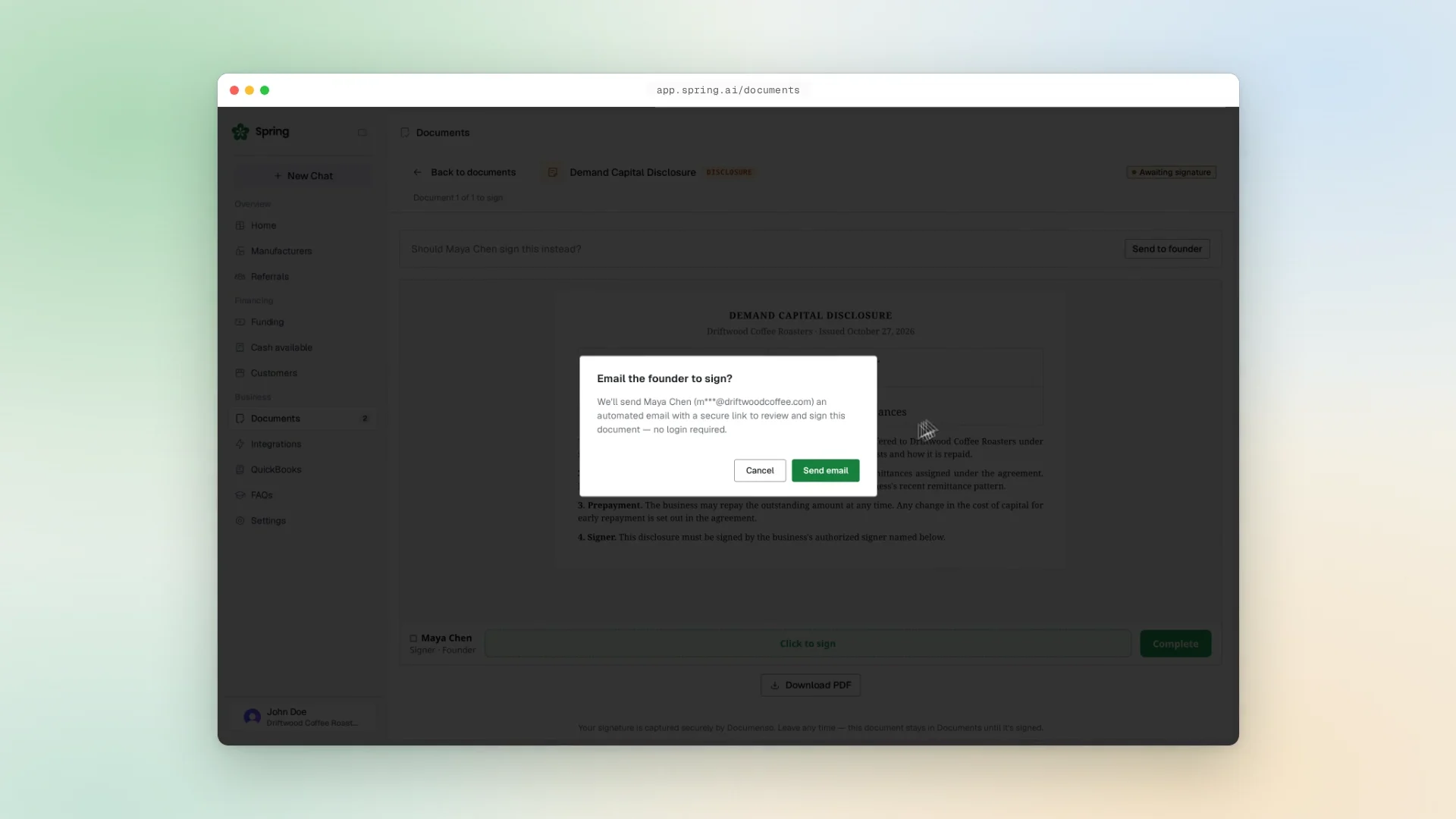 Send paperwork to your founderA teammate who can't sign sends the document straight to the person who must.Documents Agreements
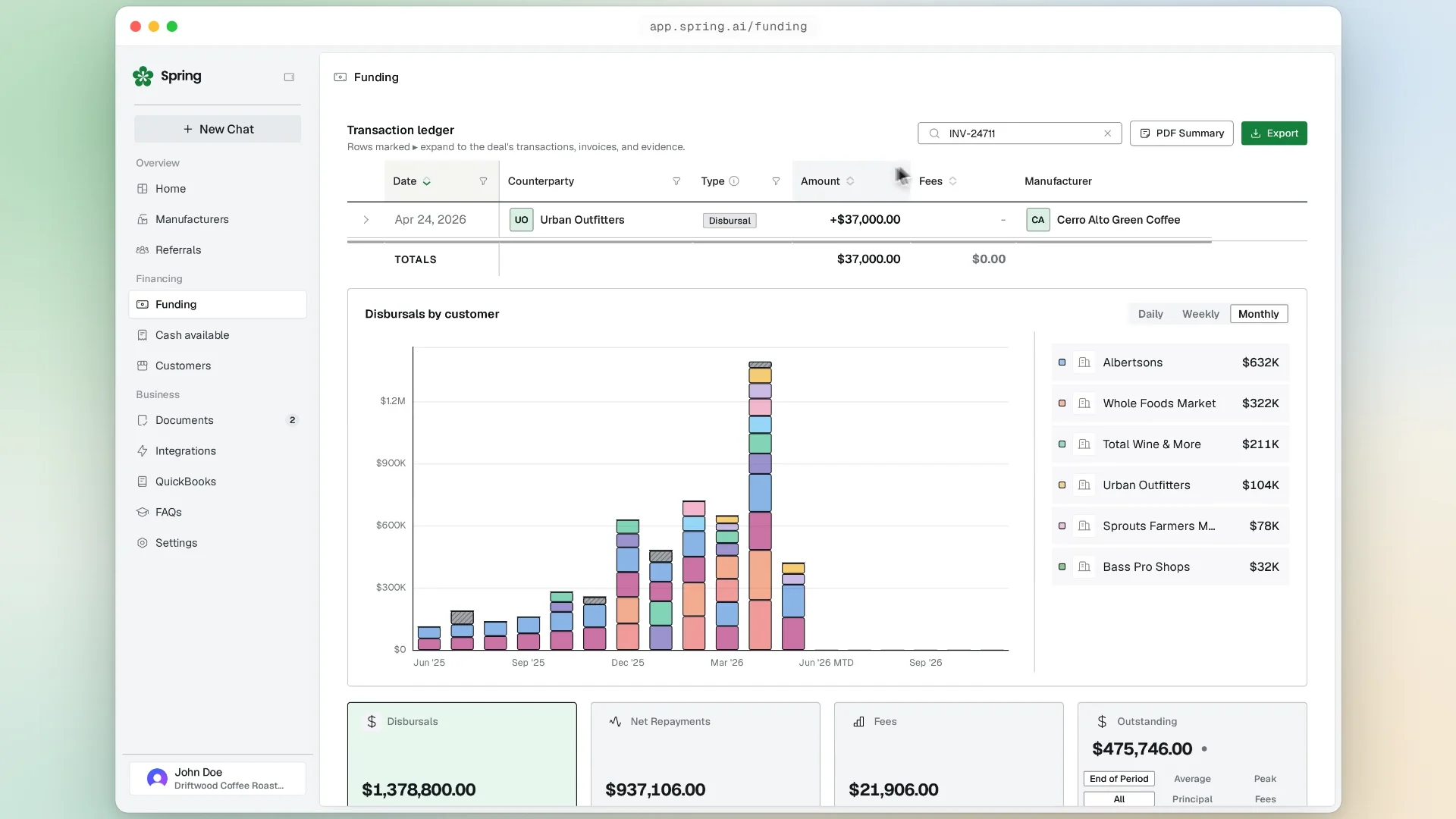 See every bill a payment coveredMatch each vendor payment on your funding ledger to the bills it paid.Funding Funding ledger
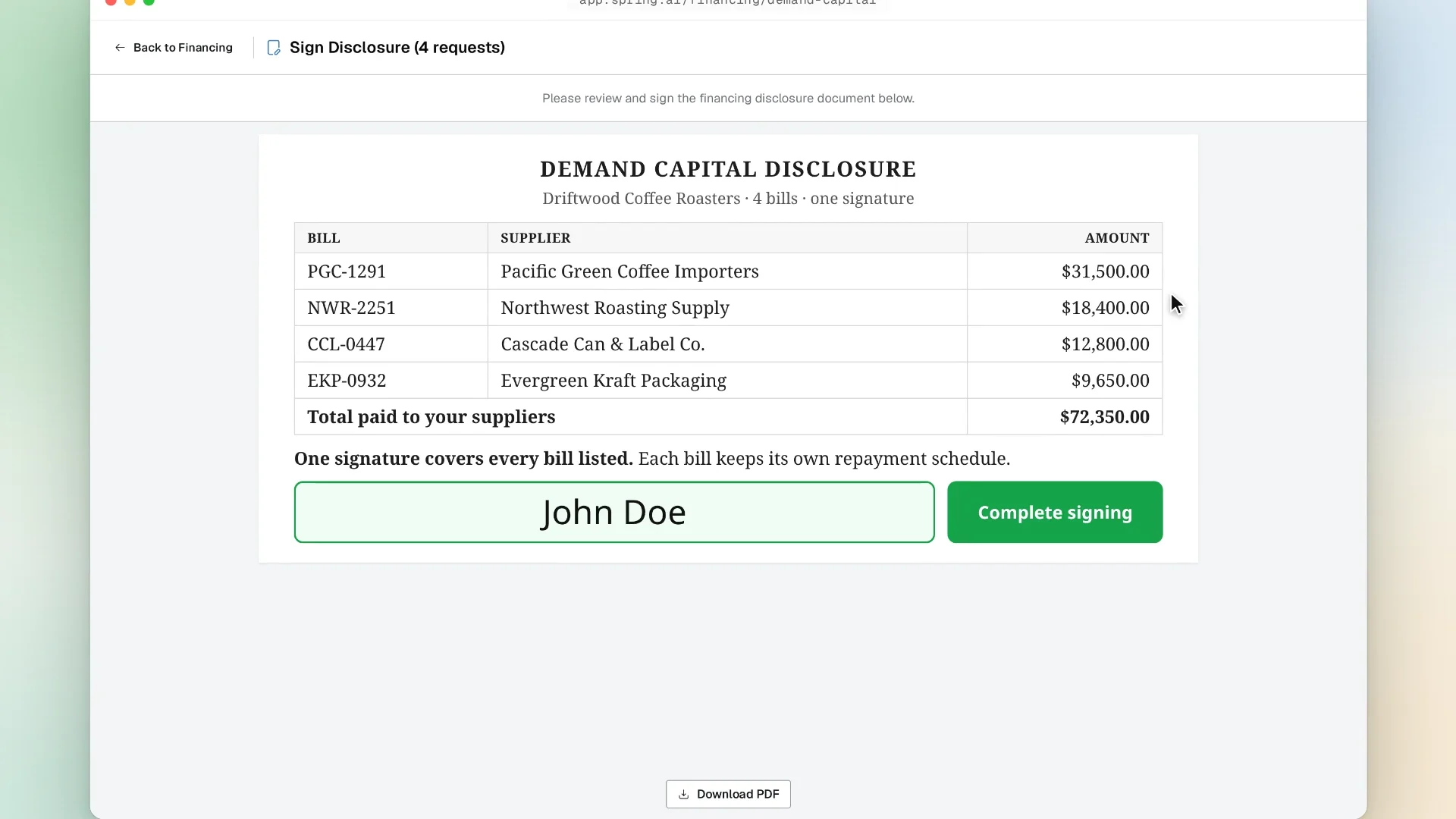 Sign every waiting bill at onceWhen several bills are waiting on their disclosure, one signature now covers all of them.Funding Demand Capital
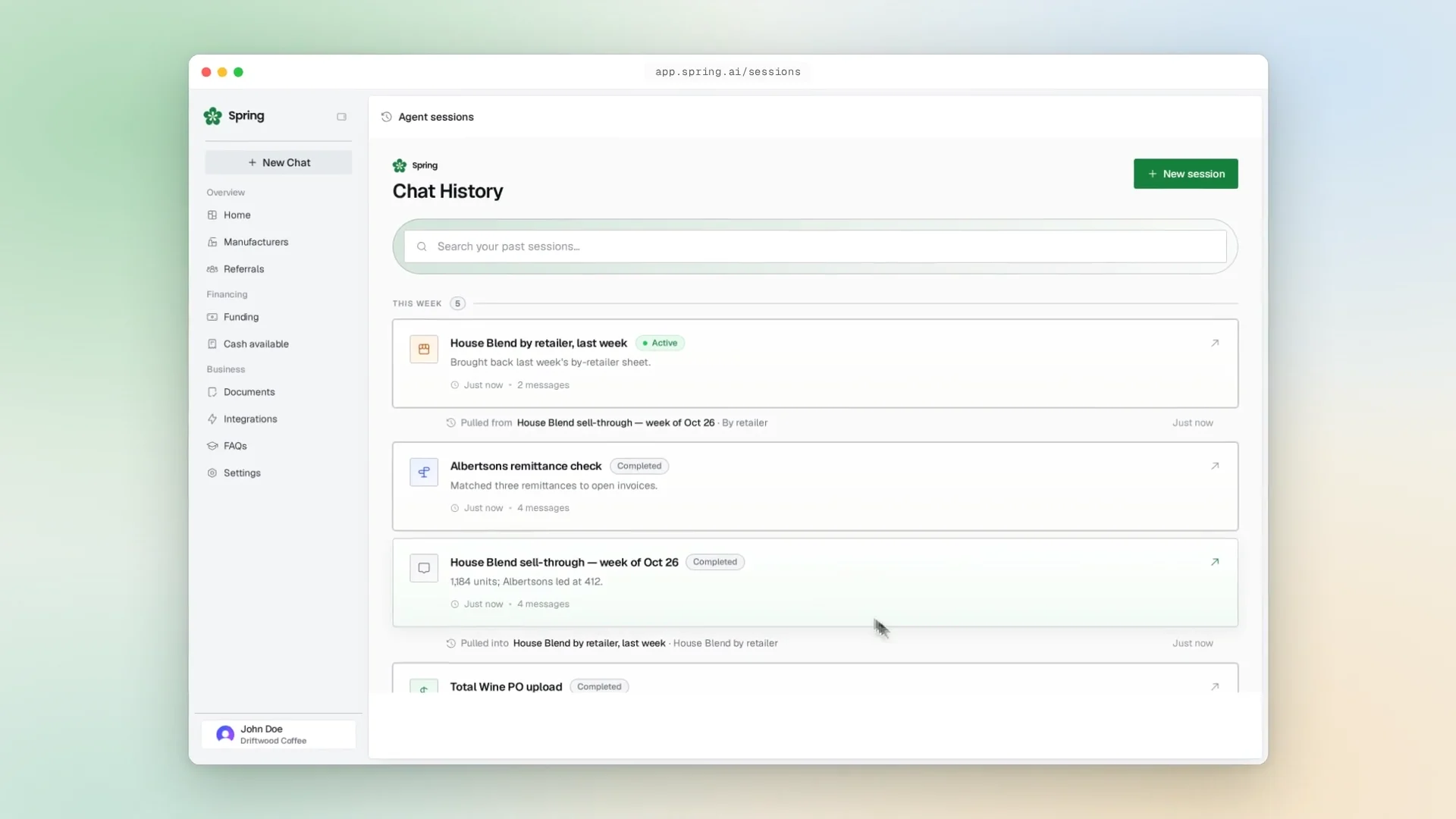 Spring Agent remembers past chatsPick up last week's tables in today's chat instead of rebuilding them.Spring Agent Memory
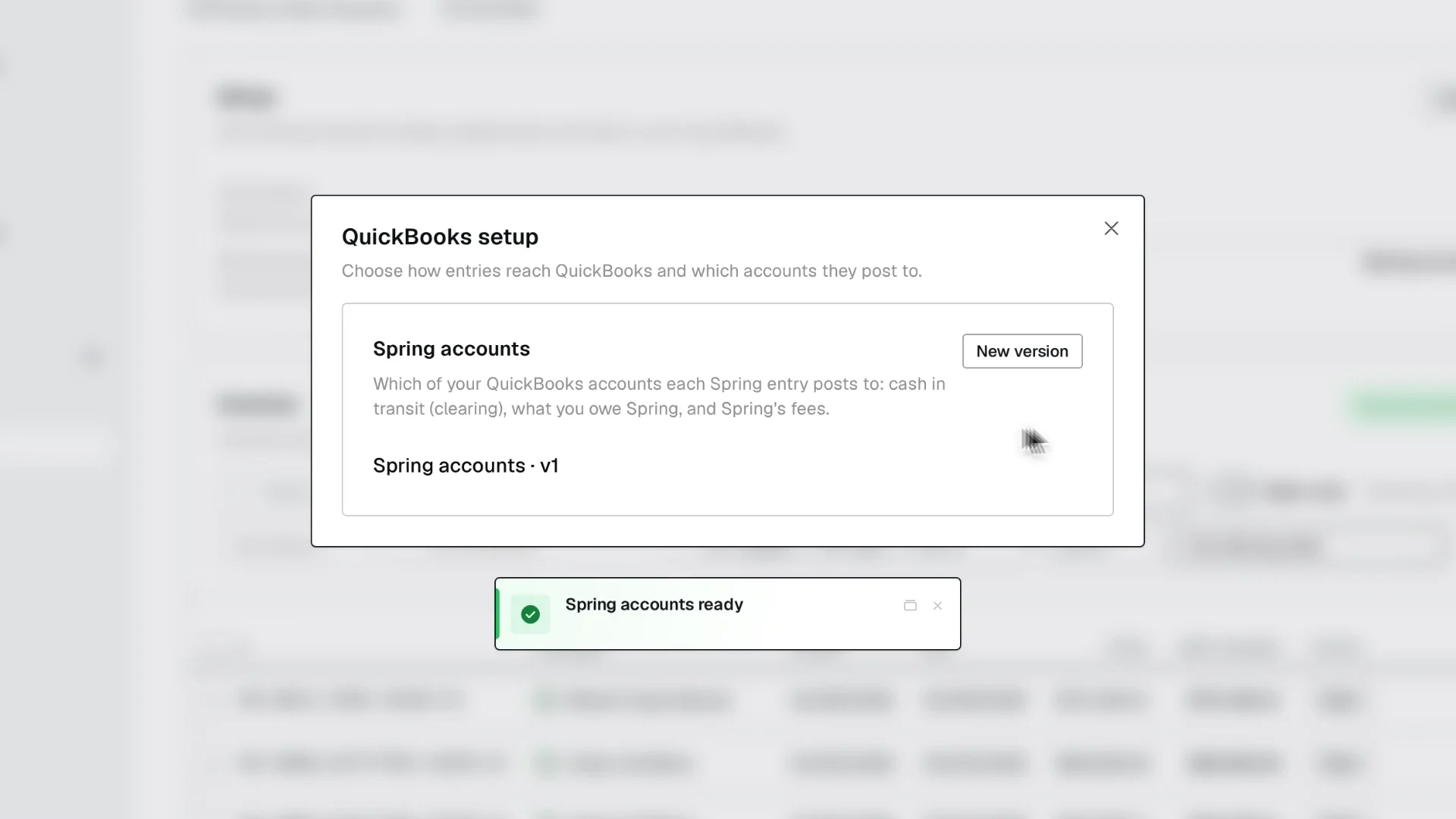 Spring sets up its QuickBooks accountsOne click creates the accounts Spring needs in your QuickBooks, with nothing to map by hand.Accounting QuickBooks
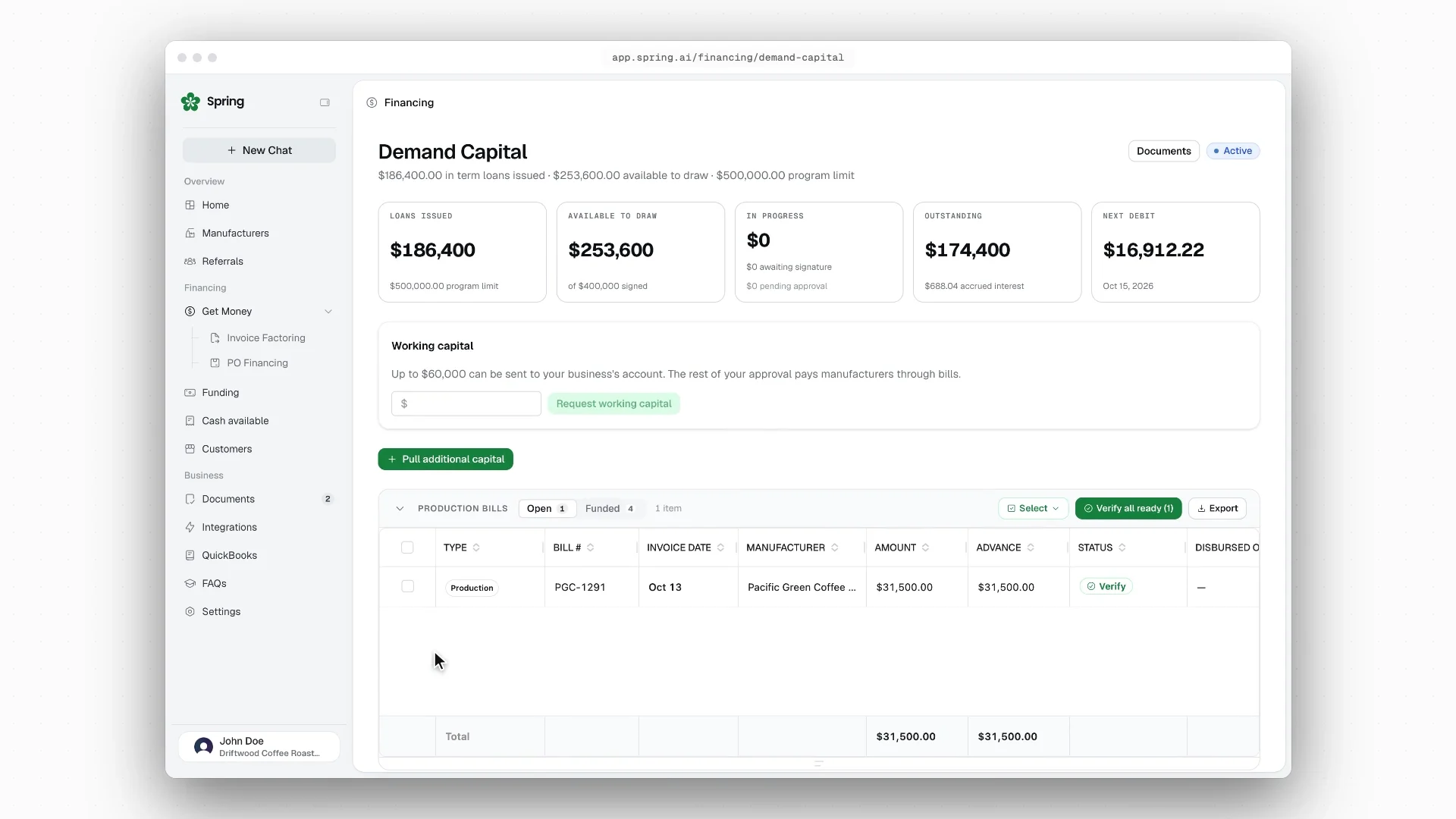 One view of Demand CapitalSee every draw and its repayments in one schedule, and send working capital to your account.Funding Demand Capital
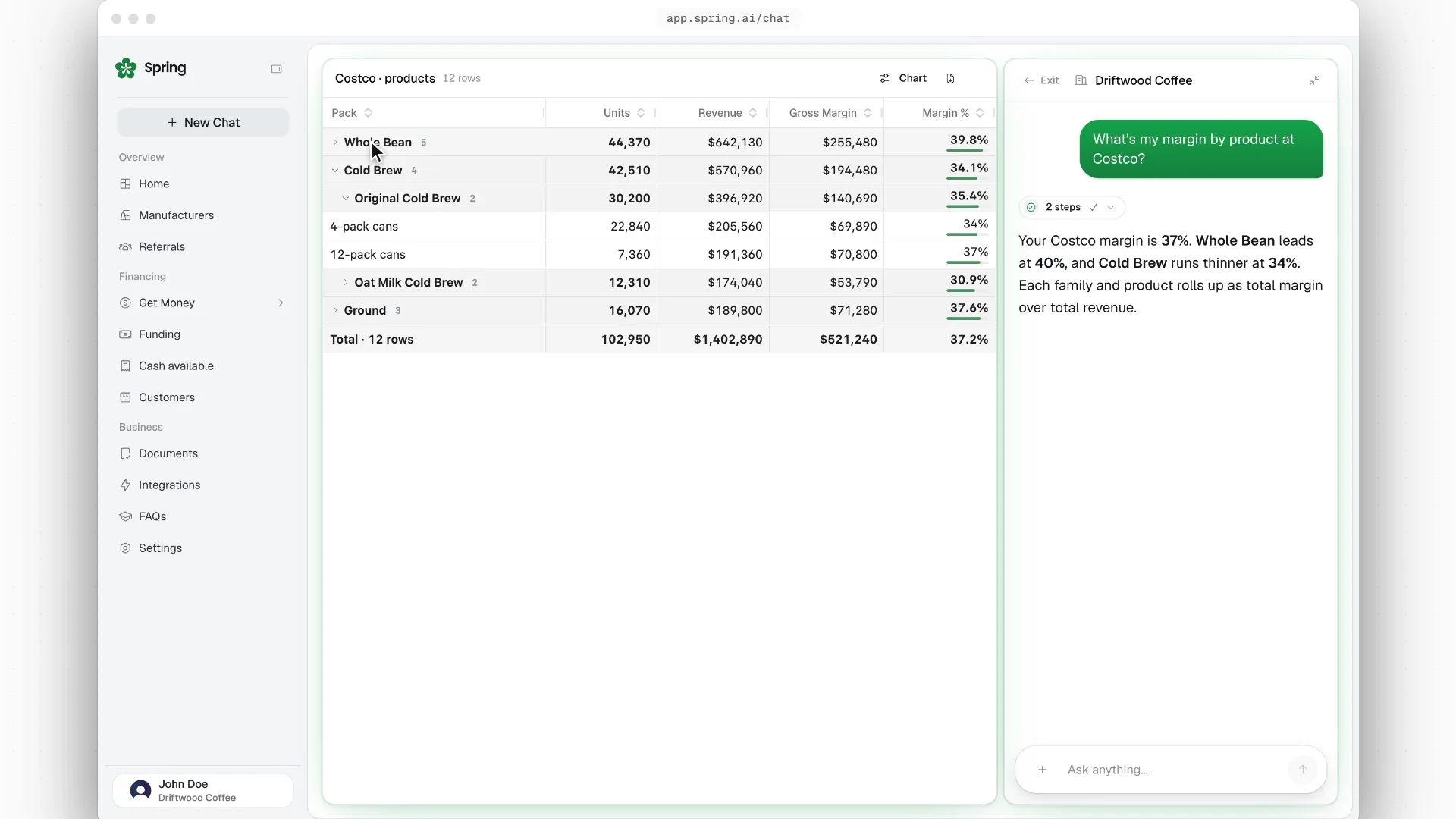 Products grouped in Spring AgentAsk about products and get a sheet grouped by family, product and pack, with totals at every level.Spring Agent Charts
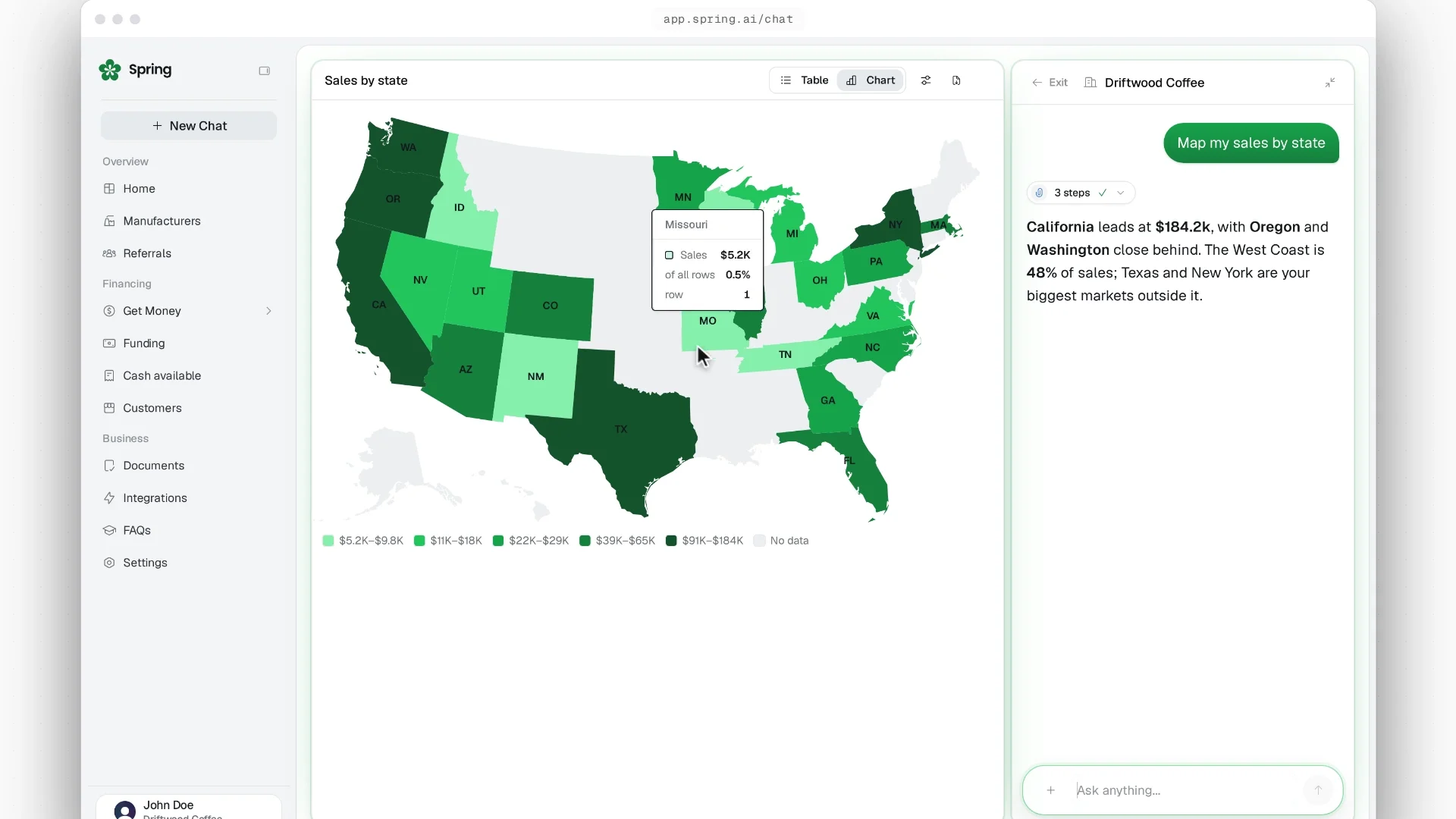 Map charts in Spring AgentAsk for a map and any table of states or countries draws as one.Spring Agent Charts
 Your team can prepare NOAsAnyone on your team can set up an NOA, and only signers sign it.Retailers & EDI Notices of assignment
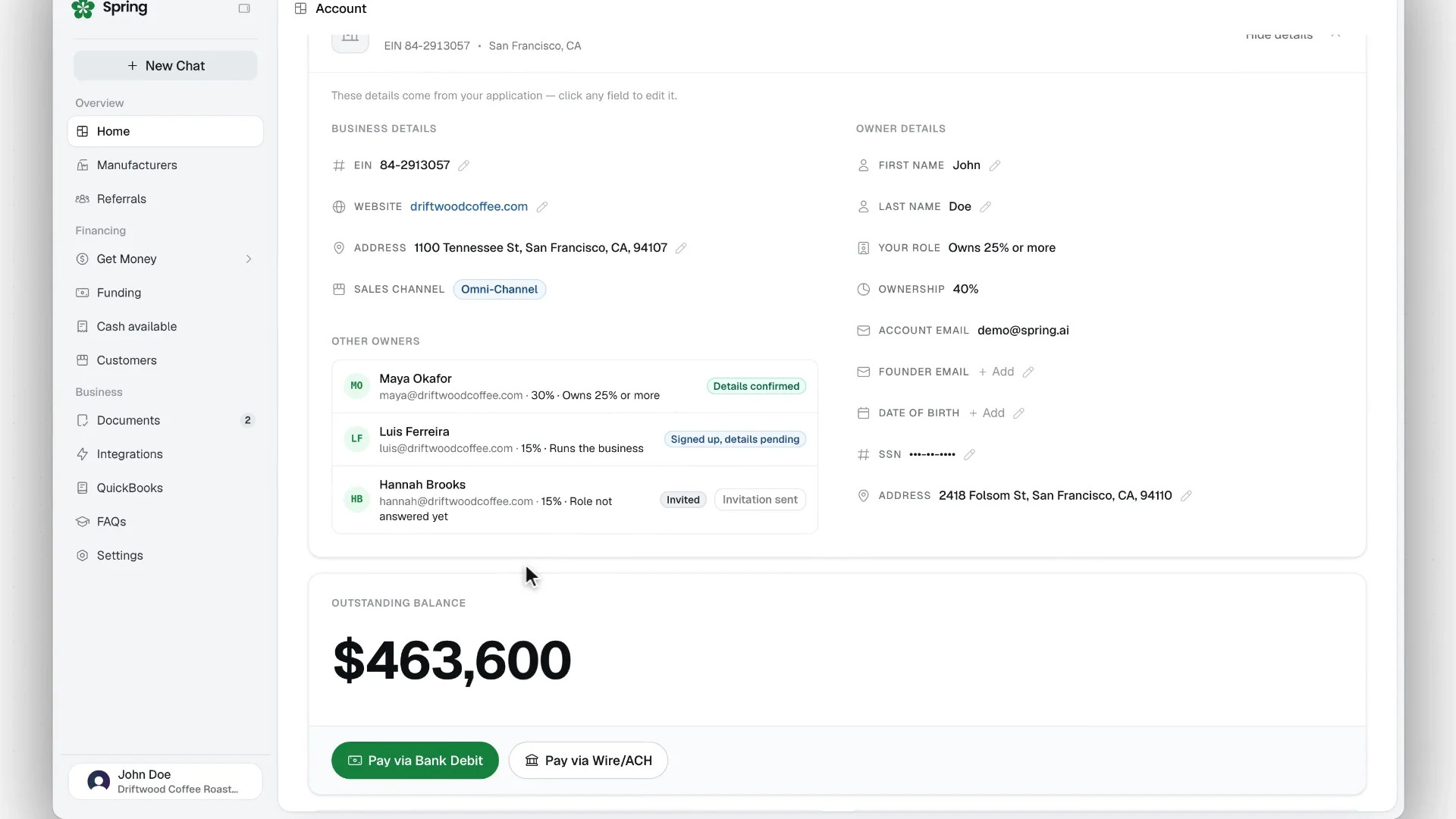 See every owner on your accountAccount lists everyone who owns the business, with their share and where their invite stands.Account & team Team
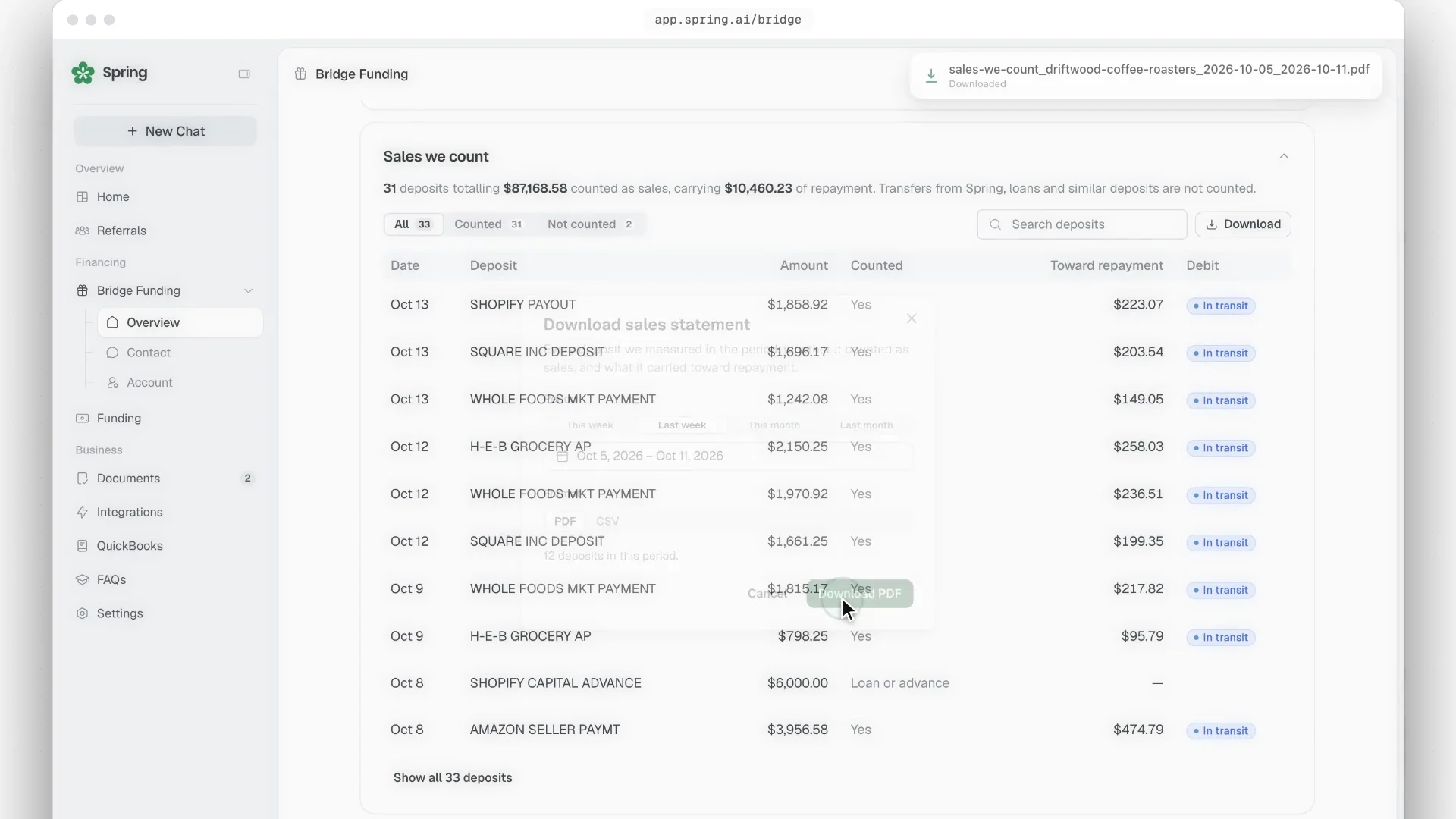 Download your sales statementExport the sales that count toward repayment as a PDF or CSV.Funding Bridge
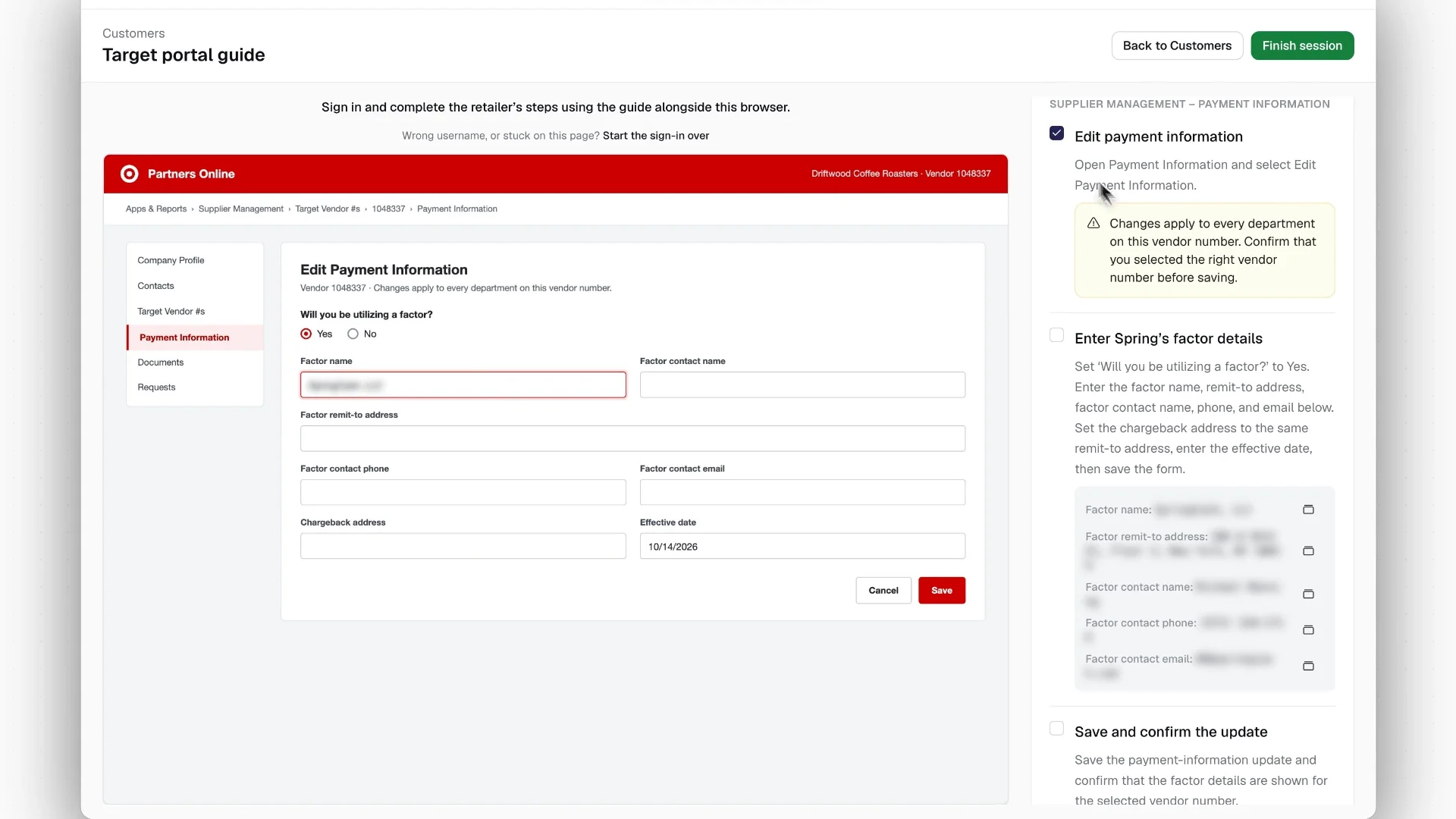 Add your NOA inside the portalA guided session walks you through filing Spring's notice of assignment in Target, Walmart or Costco's own portal.Retailers & EDI Notices of assignment

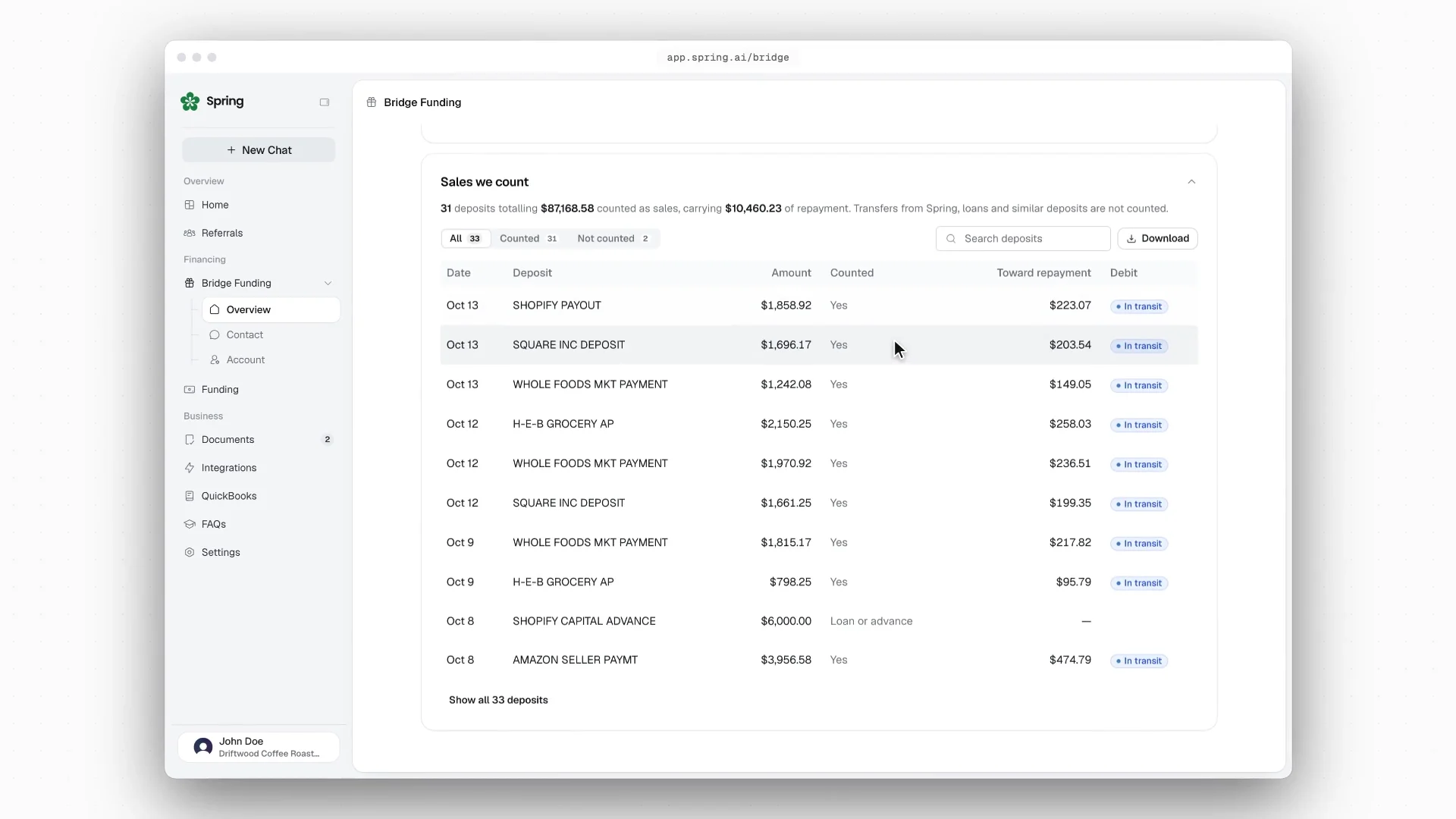 Track your Bridge repaymentsSee each week's repayment cap, what was counted, and what is still in transit.Funding Bridge
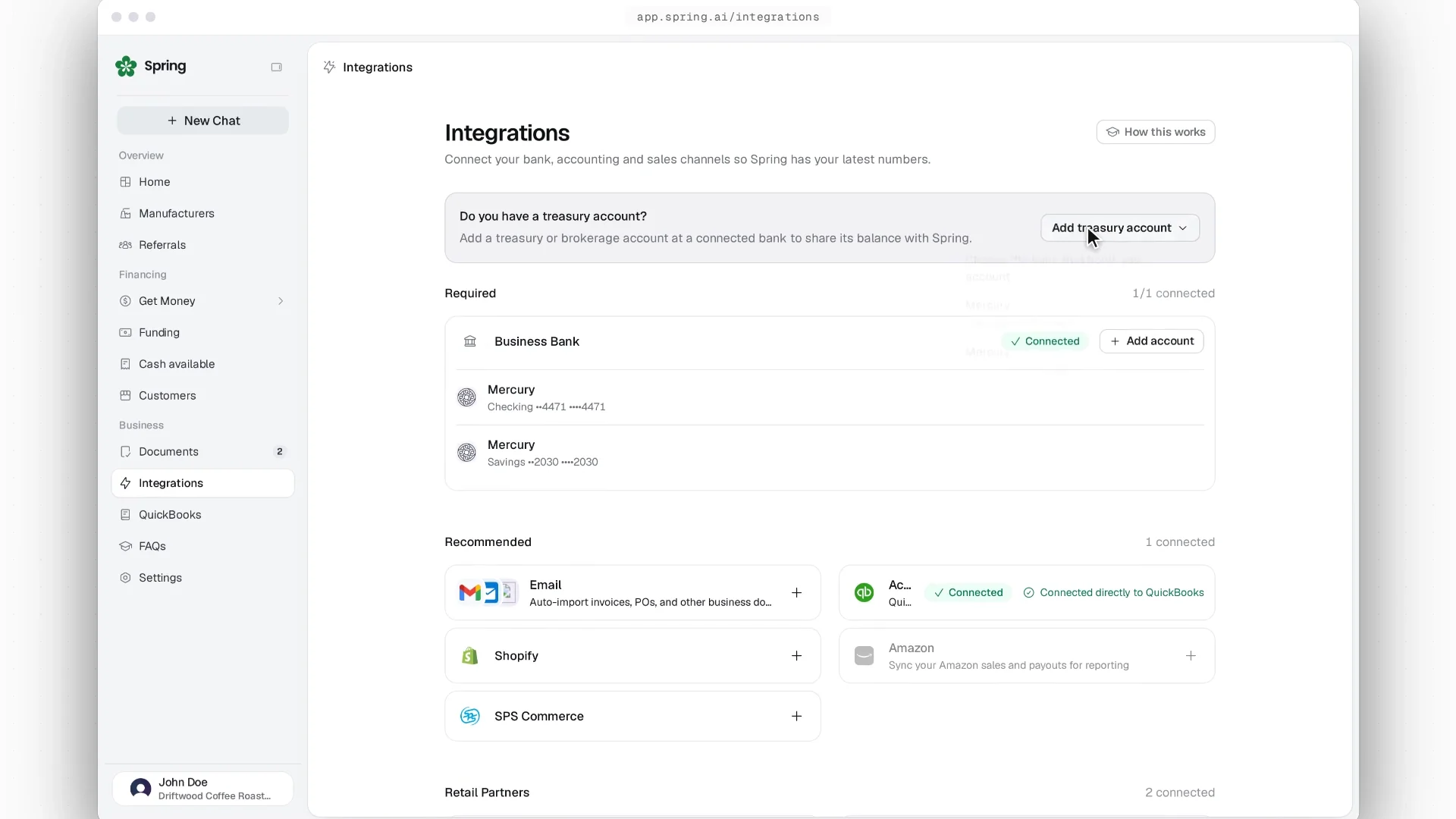 Add bank accounts fasterReuse a bank login in one click, and share treasury balances too.Banking & cash Bank connections
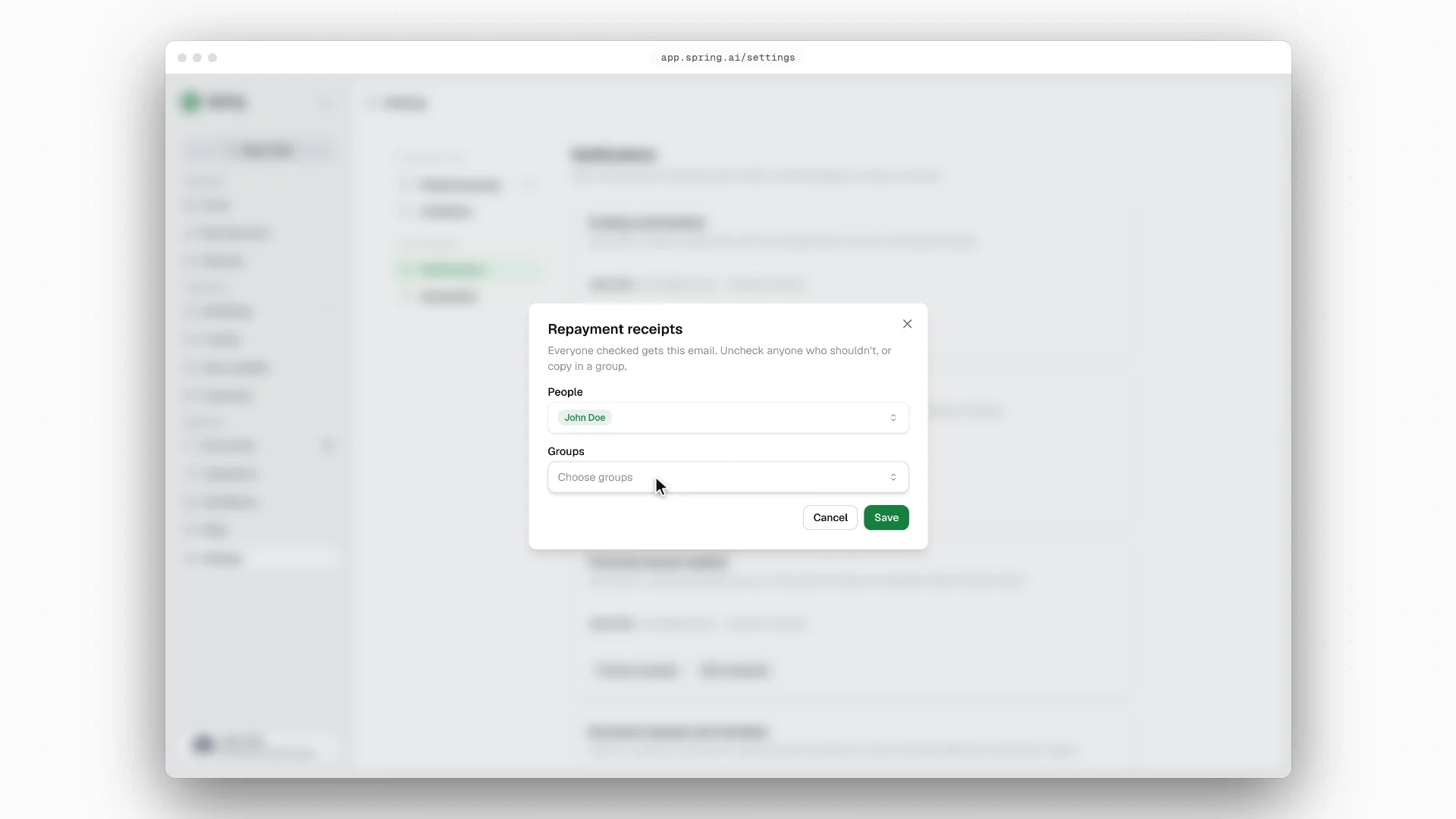 Choose who gets which emailsGroup your team and route funding, repayment and document emails to the right people.Account & team Notifications
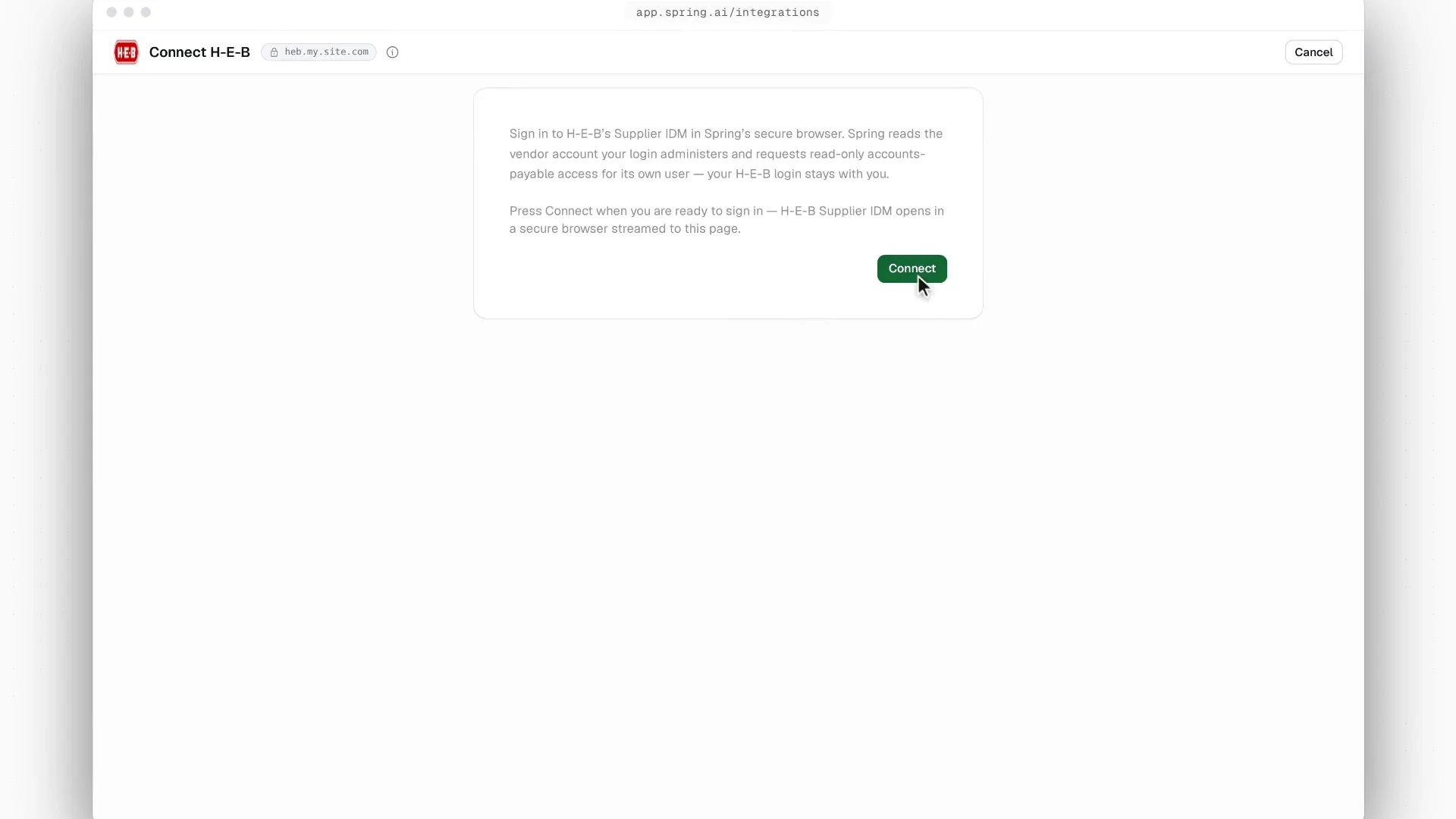 More retailer portals connect in SpringConnect H-E-B, URBN, RJW Edge, DOT Foods and Costco without leaving Spring.Retailers & EDI Retailer portals



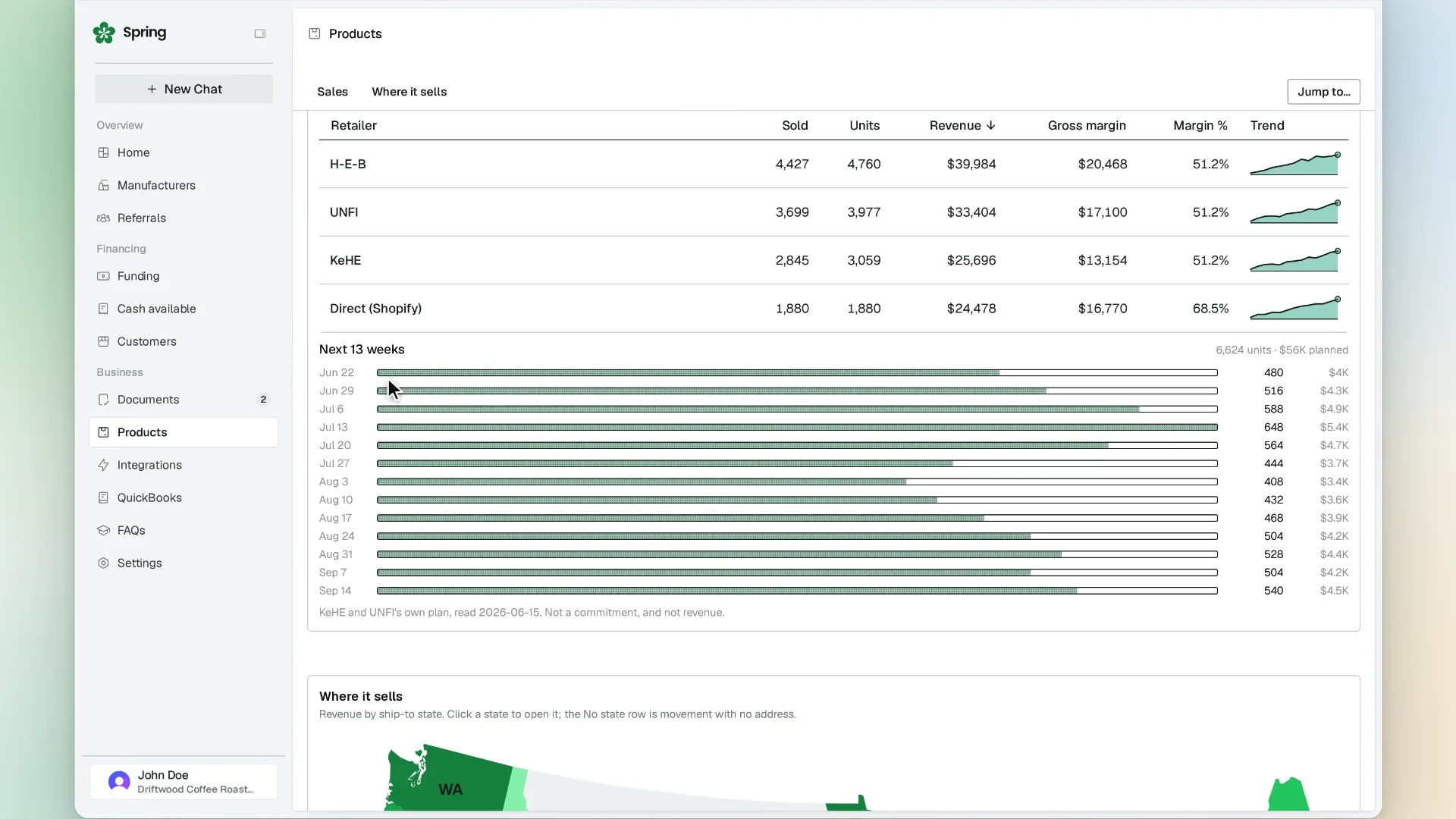 See what distributors plan to orderEach pack shows the units and dollars KeHE and UNFI plan to order from you over the next 13 weeks.Retailers & EDI Products


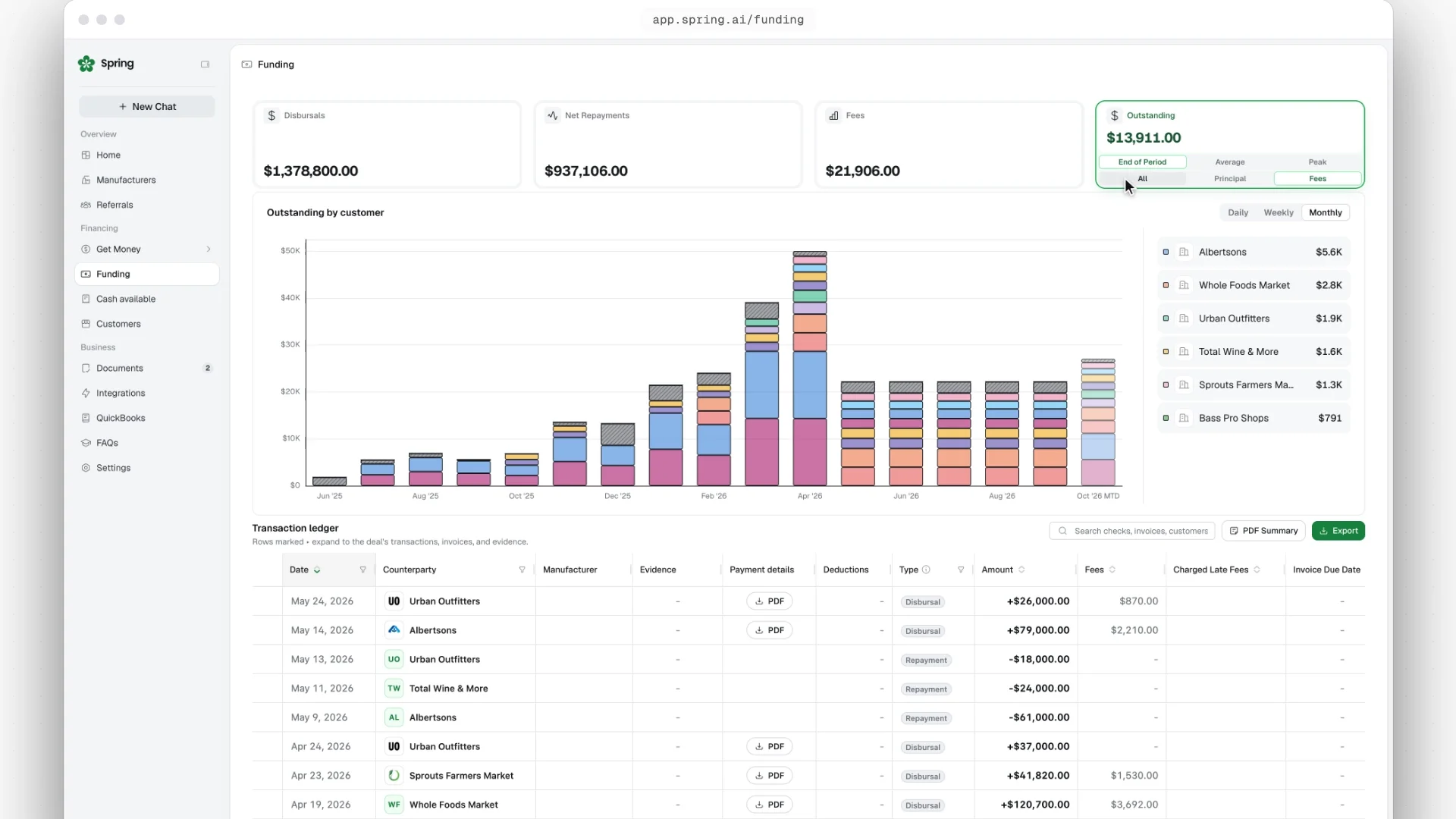 See principal and fees separatelySplit what you owe into principal and fees, so you know exactly what's left on each.Funding Funding history
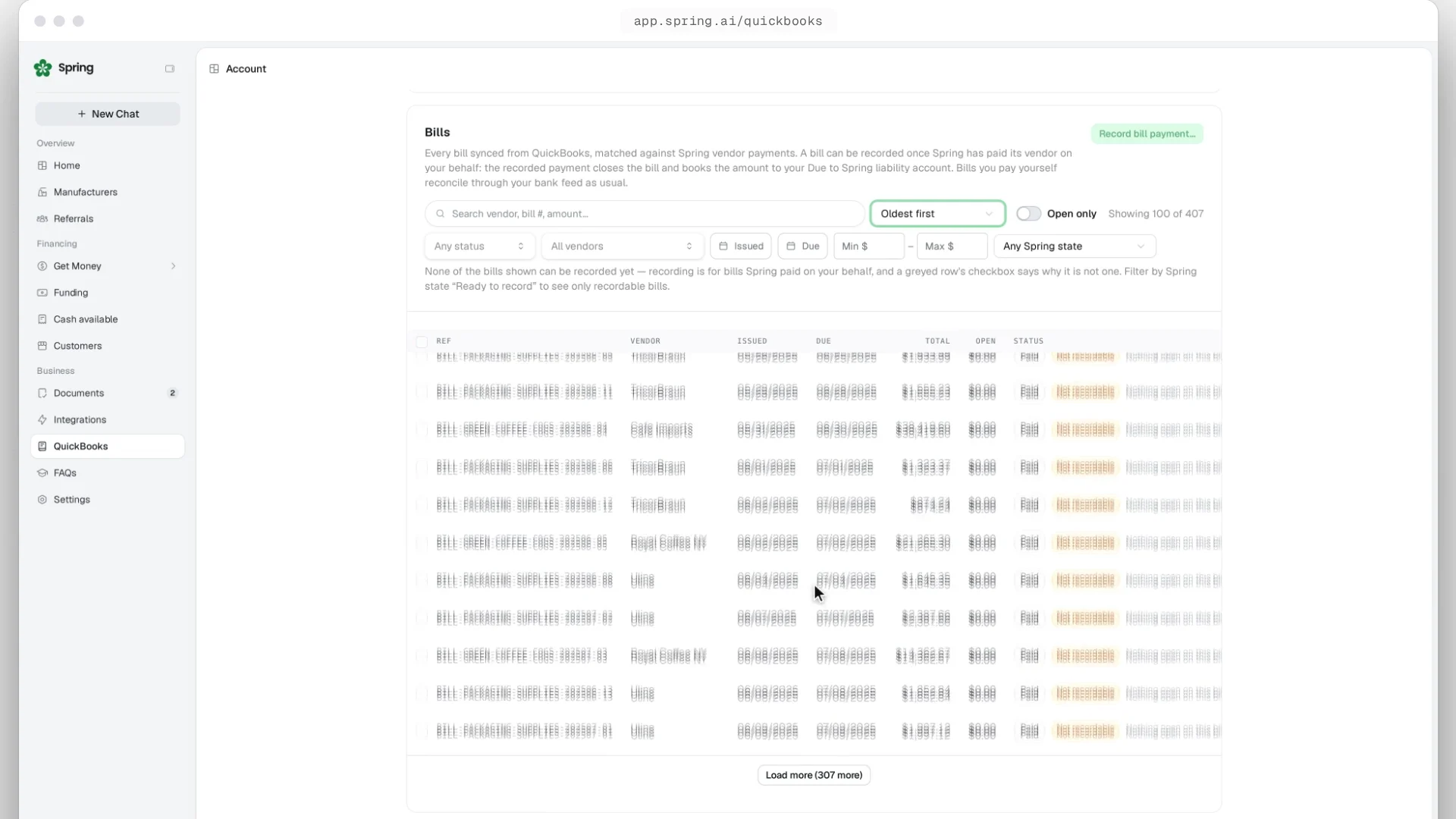 Search your QuickBooks billsBills and invoices from QuickBooks now search, sort, filter and scroll.Accounting QuickBooks
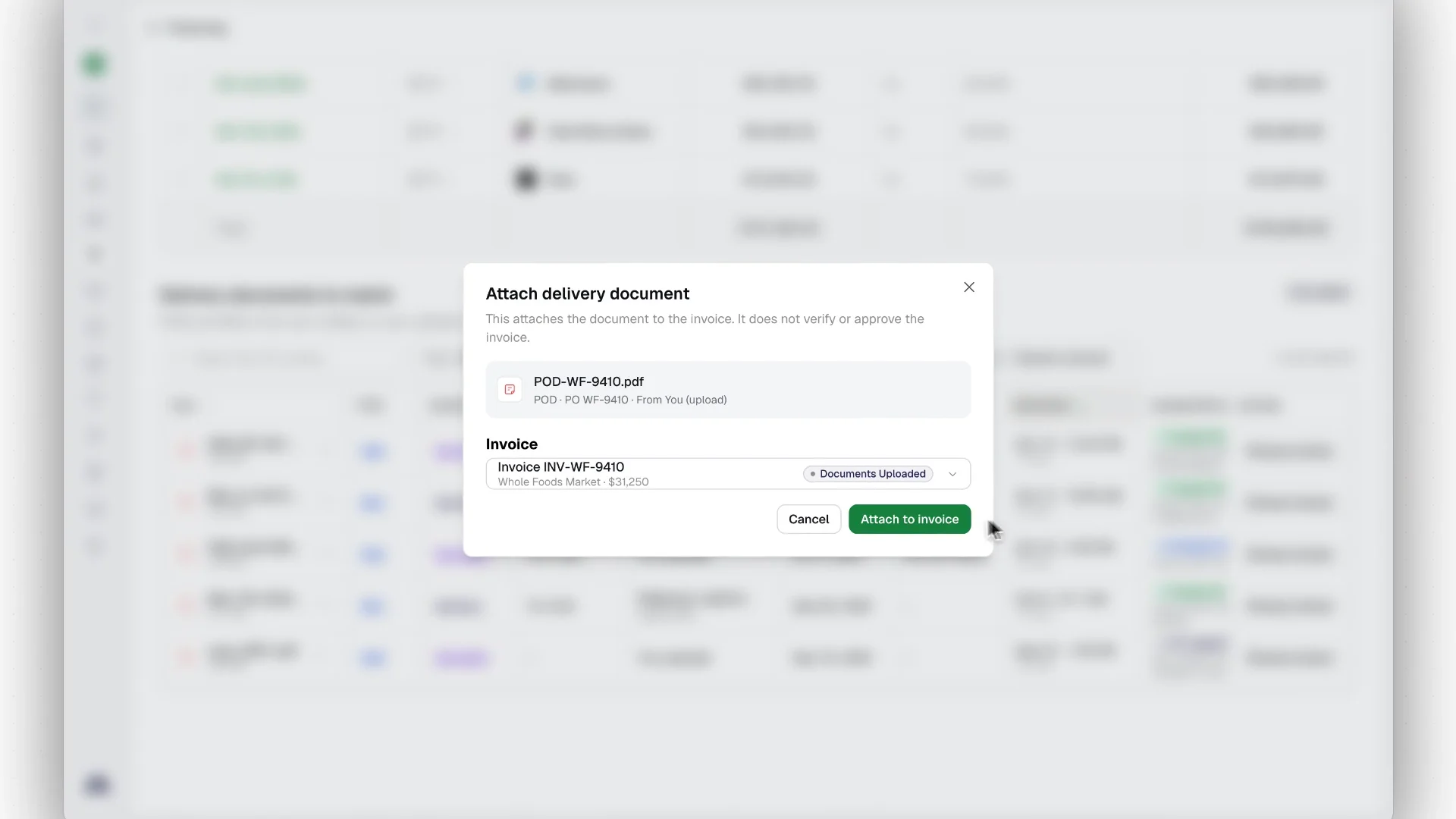 Match delivery documents to invoicesPODs and BOLs from your mailbox or uploads wait in one list, with the invoice each likely belongs to.Documents Delivery documents
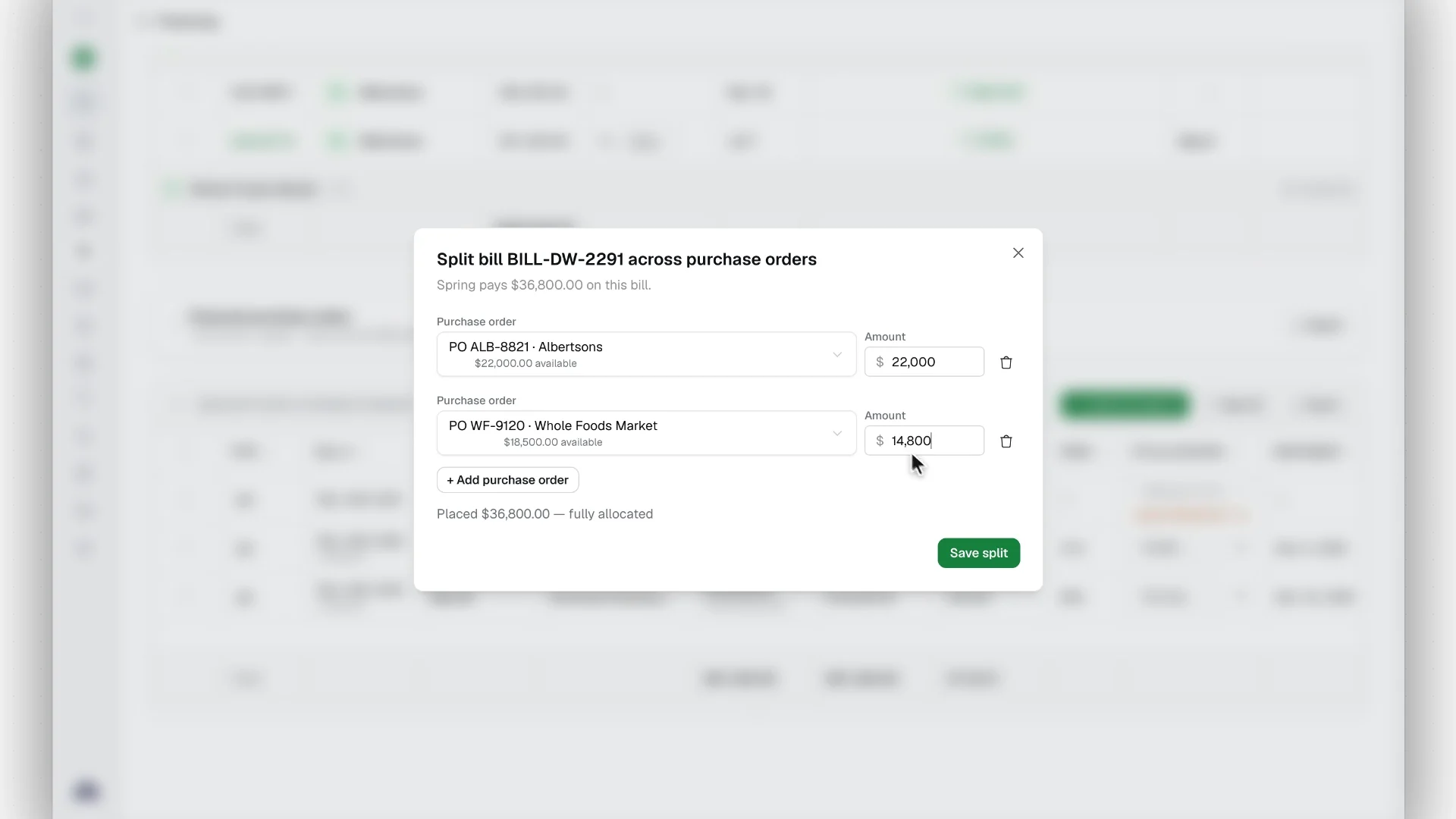 Choose the PO behind each billPick which purchase order pays a manufacturer bill, or split it across several by amount.Funding Purchase orders
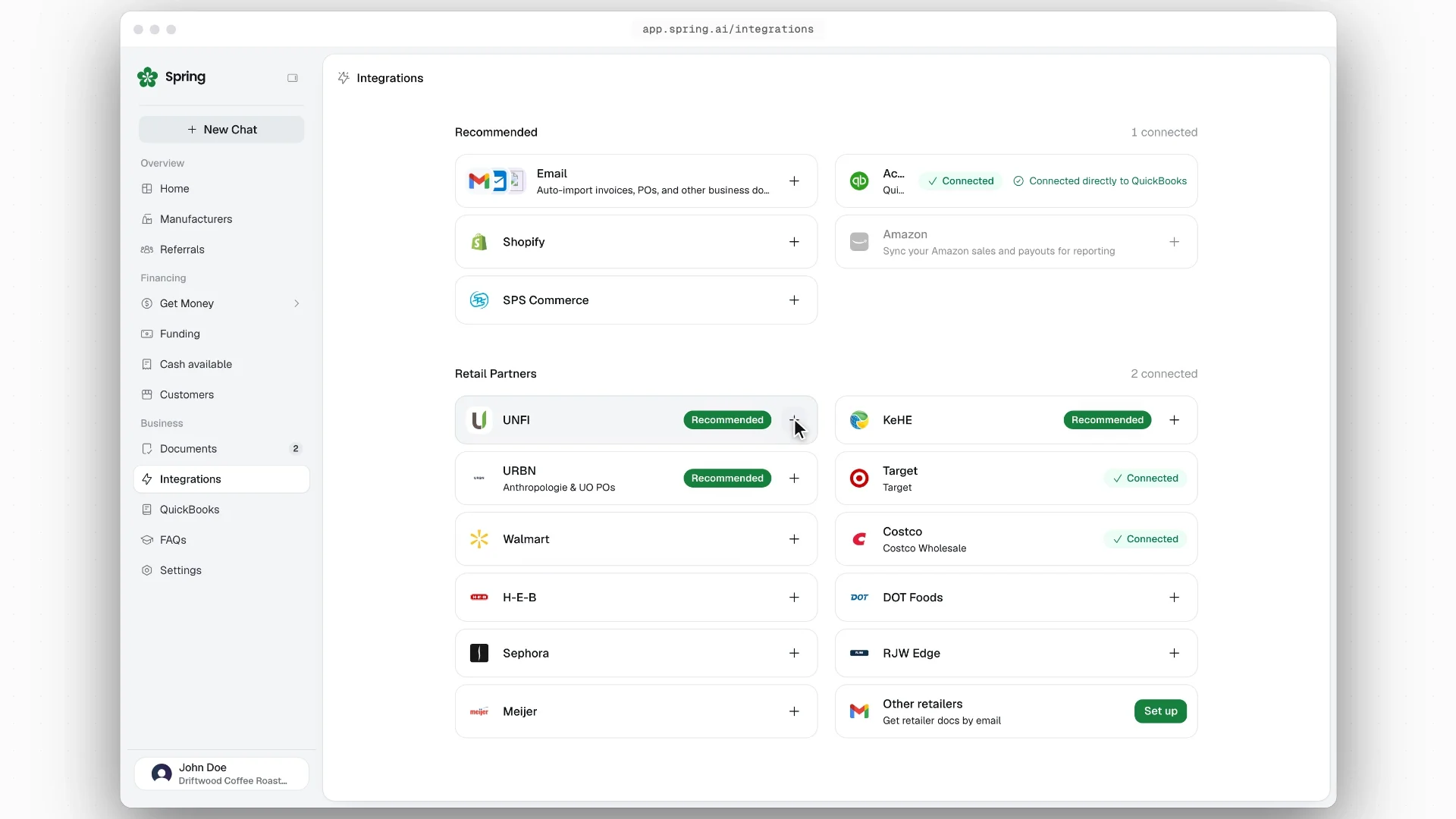 Retailer suggestionsSpring suggests the retailer portals worth connecting, based on who pays you.Retailers & EDI Retailer portals
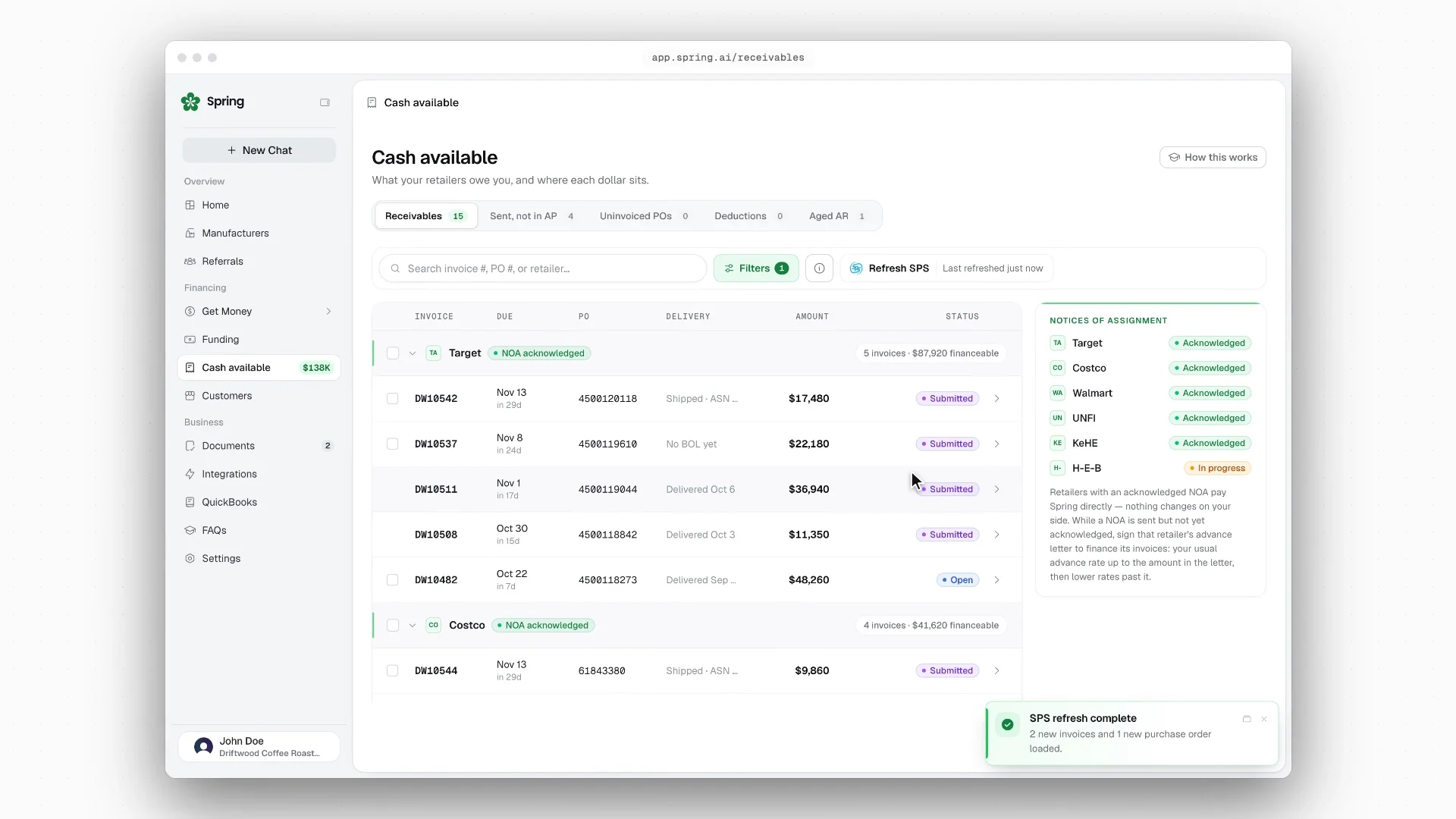 Refresh SPS on demandPull your latest EDI documents now instead of waiting for the overnight sync.Retailers & EDI EDI
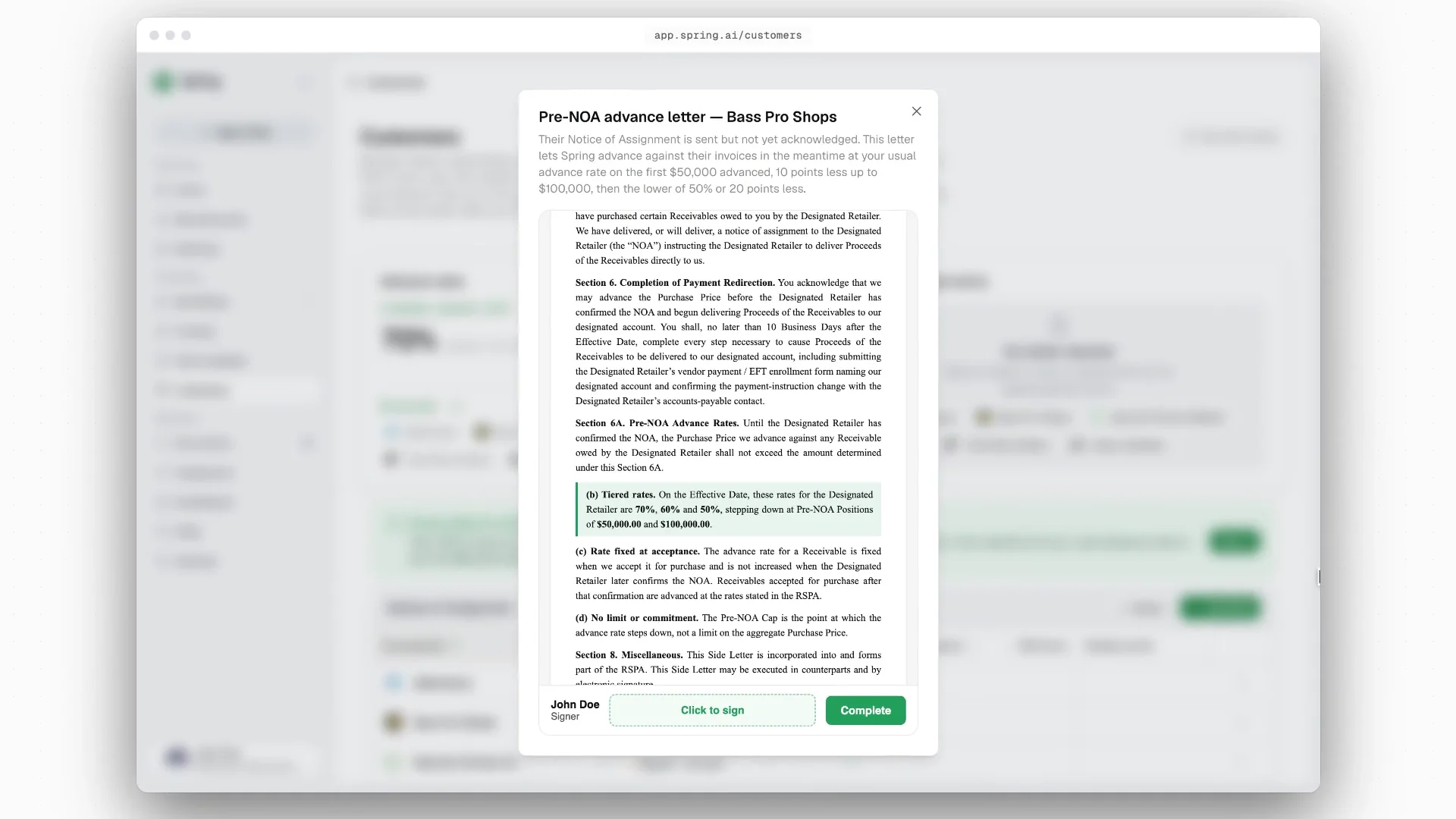 Get funded before NOA acknowledgmentOnce a retailer has your NOA, sign one short letter and start funding their invoices right away.Funding Notices of assignment
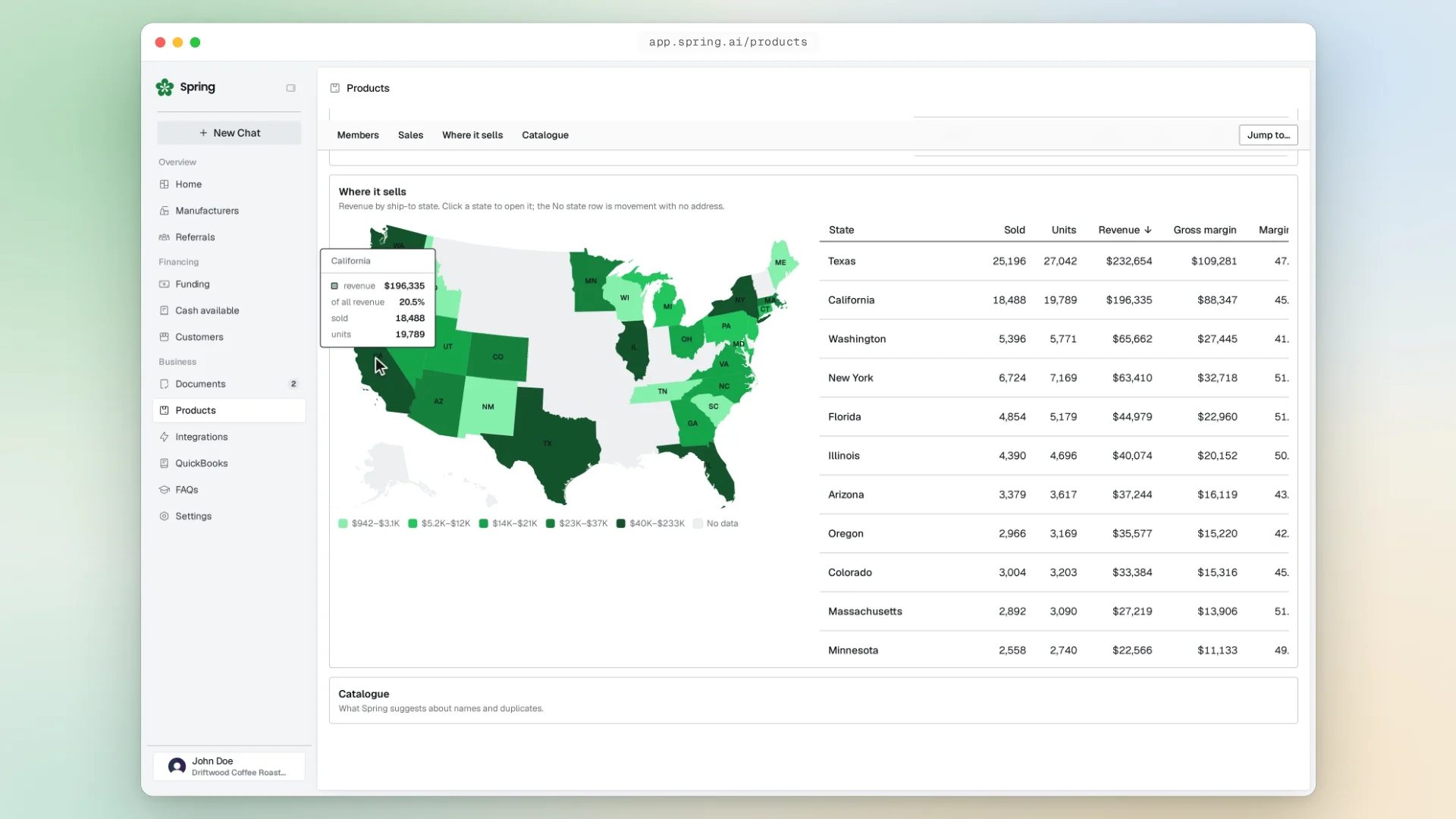 Sales and margin by retailerSee each product's sales and gross margin by retailer, week and state.Retailers & EDI Products

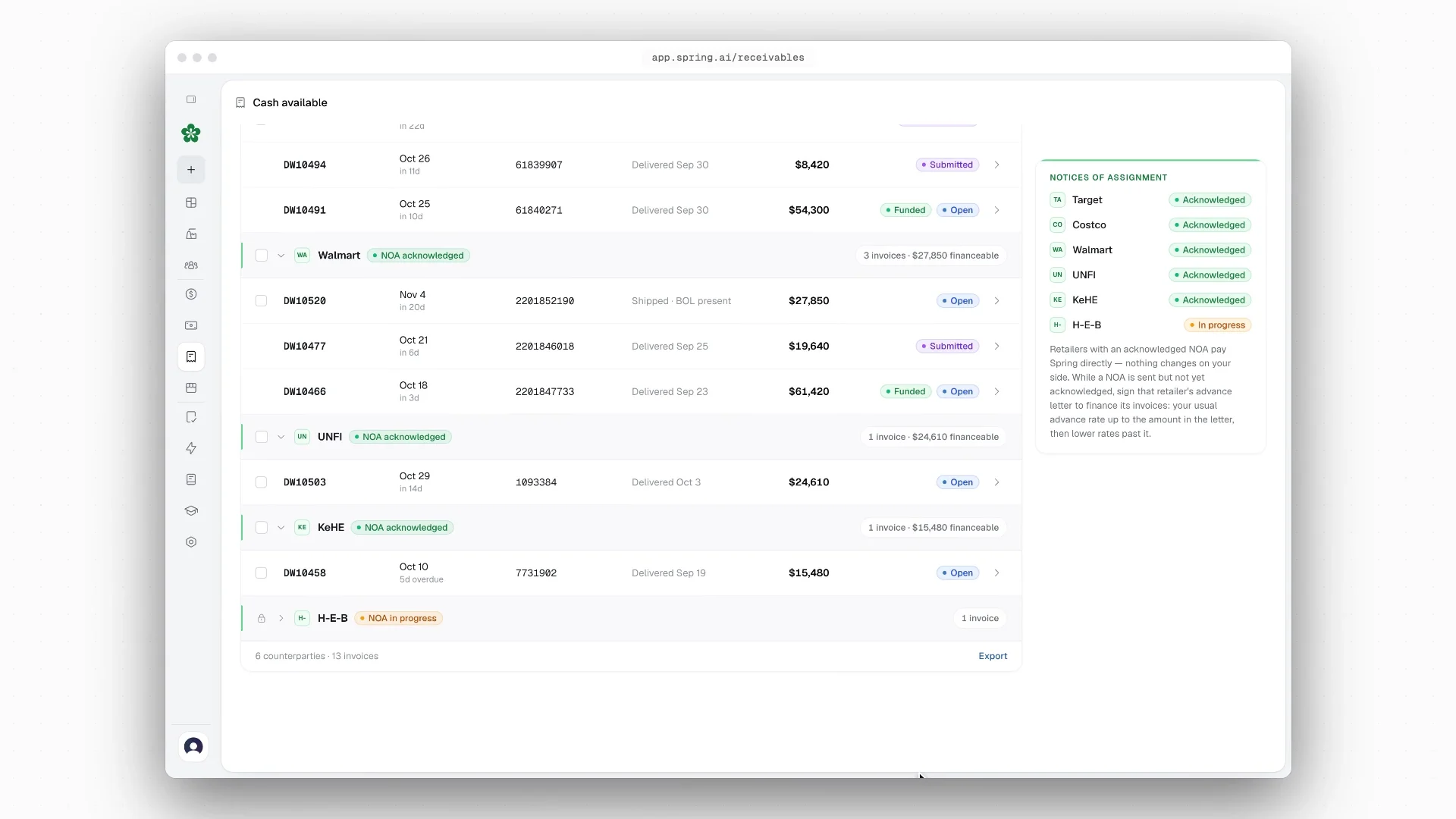 Delivery status on every invoiceSee whether each invoice shipped and when it was delivered.Invoices & bills Receivables
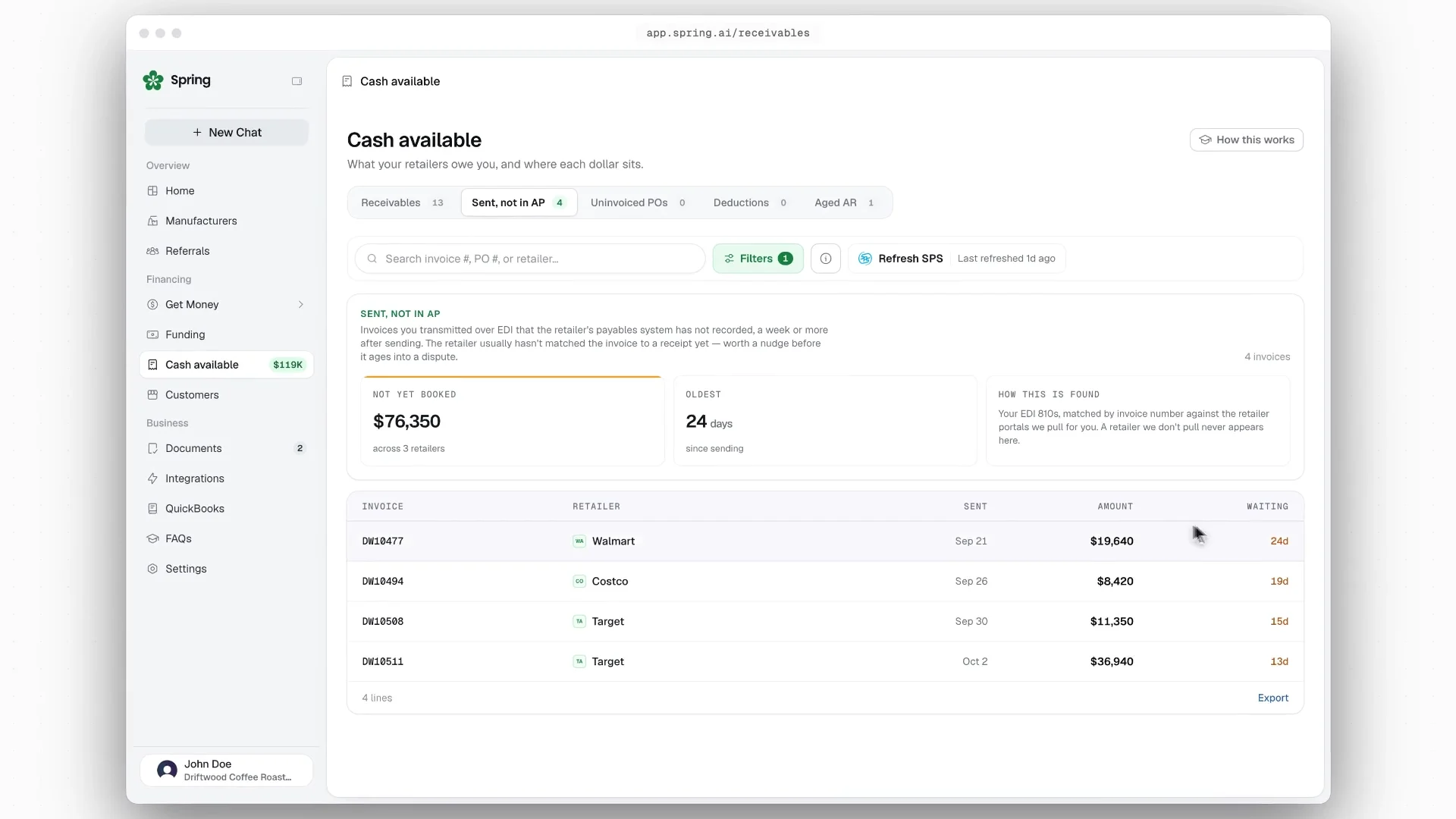 Invoices retailers haven't bookedSee EDI invoices your retailer received but never entered in its payables.Invoices & bills Receivables
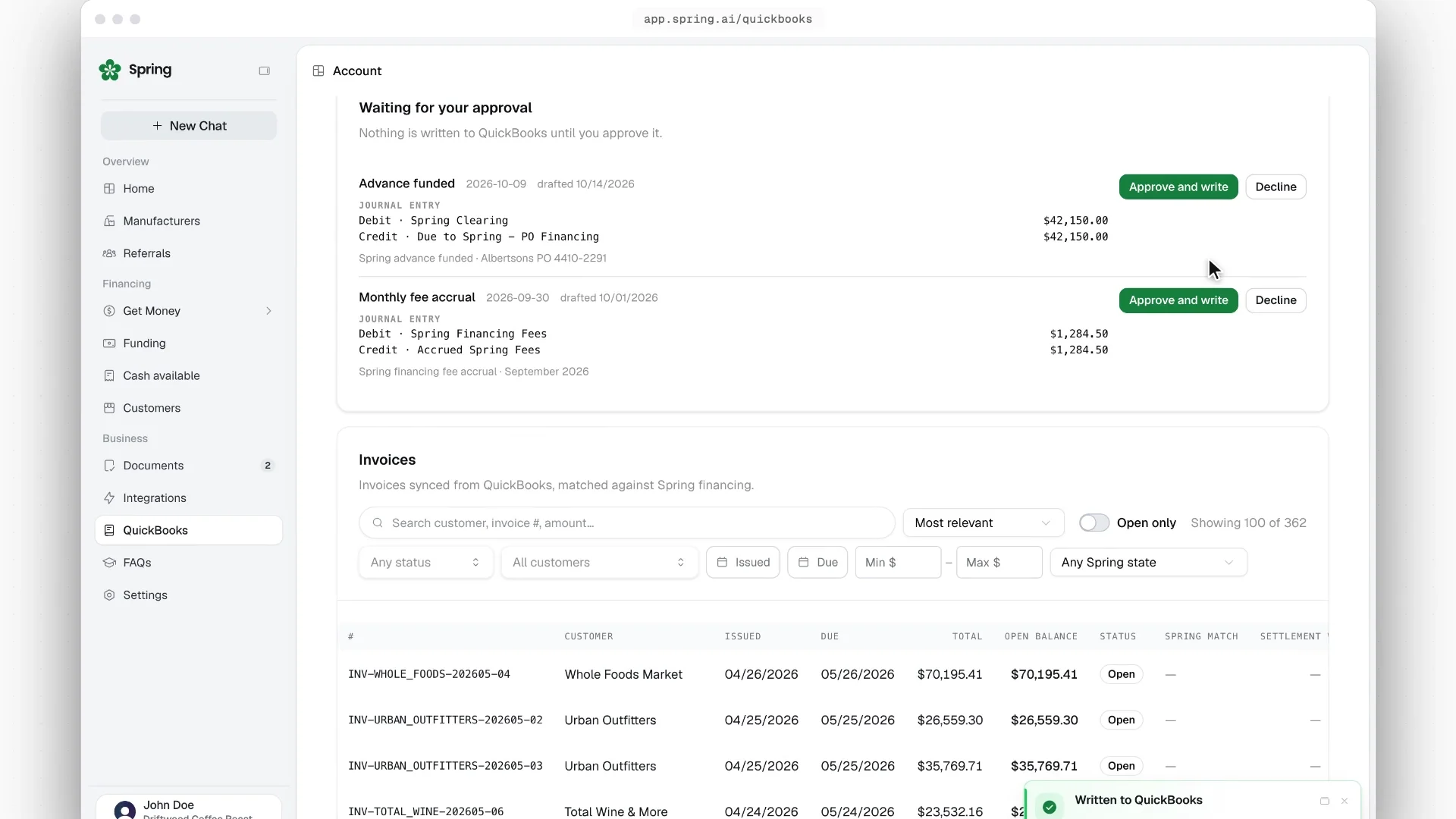 Approve QuickBooks entries firstSpring drafts each payment and settlement for QuickBooks; you approve before it posts.Accounting QuickBooks
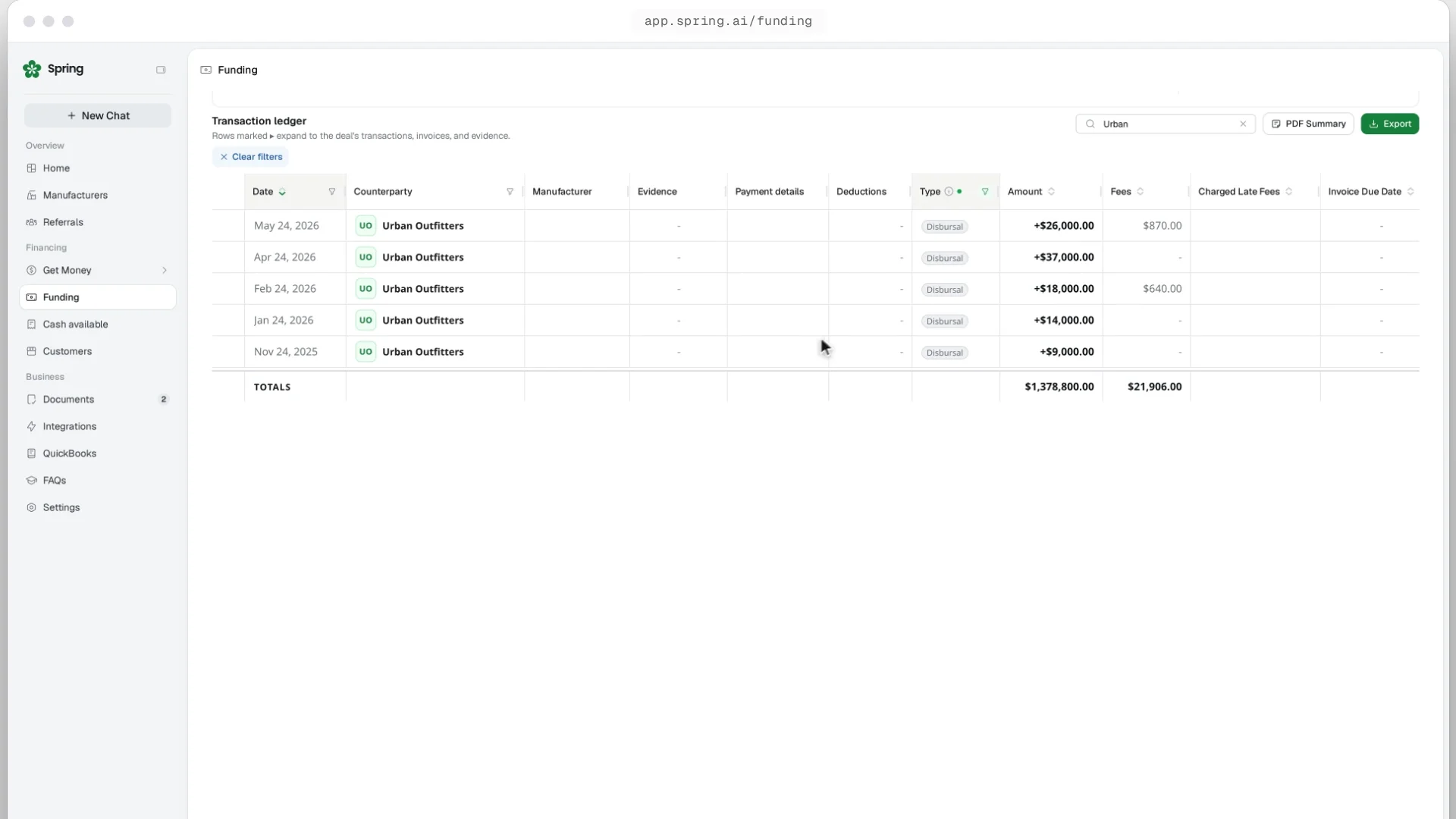 Search your funding historyFind any deal by check or remittance number, date, customer or type.Funding Funding ledger
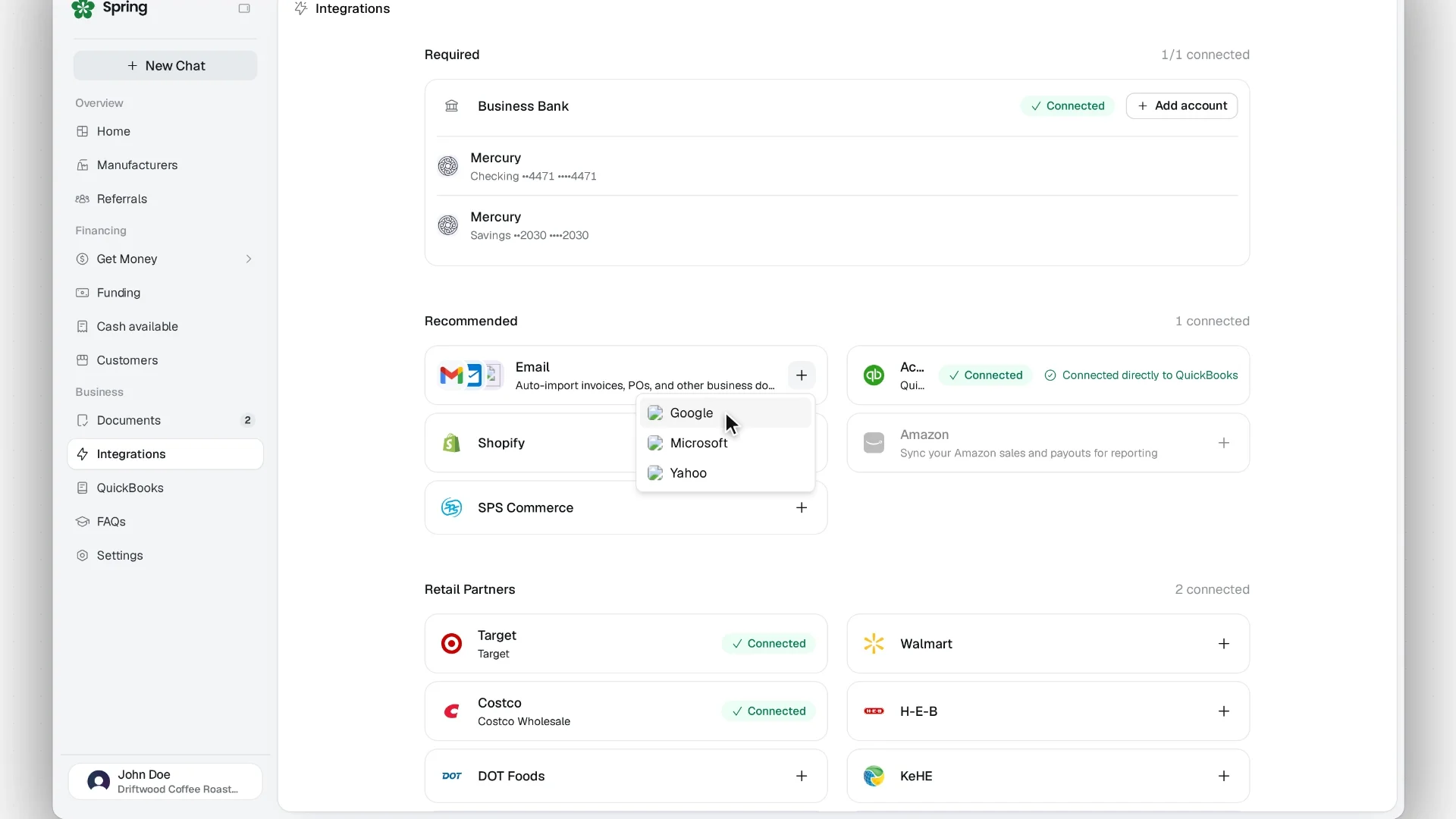 Import documents from your inboxConnect a mailbox and Spring pulls in invoices, POs and delivery documents.Documents Email import
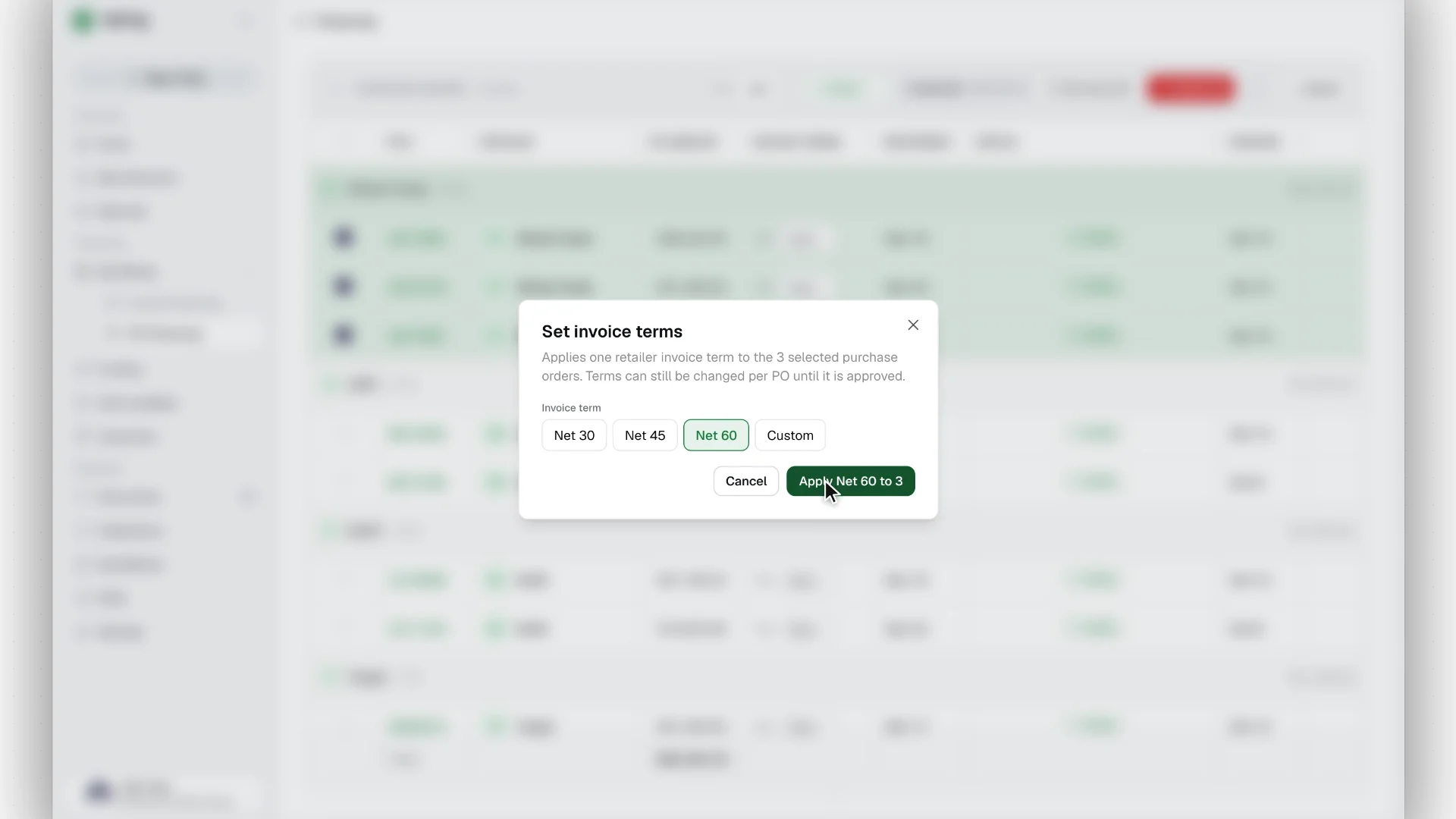 Set terms on many POsSelect several purchase orders and give them all the same invoice term in one step.Funding Purchase orders
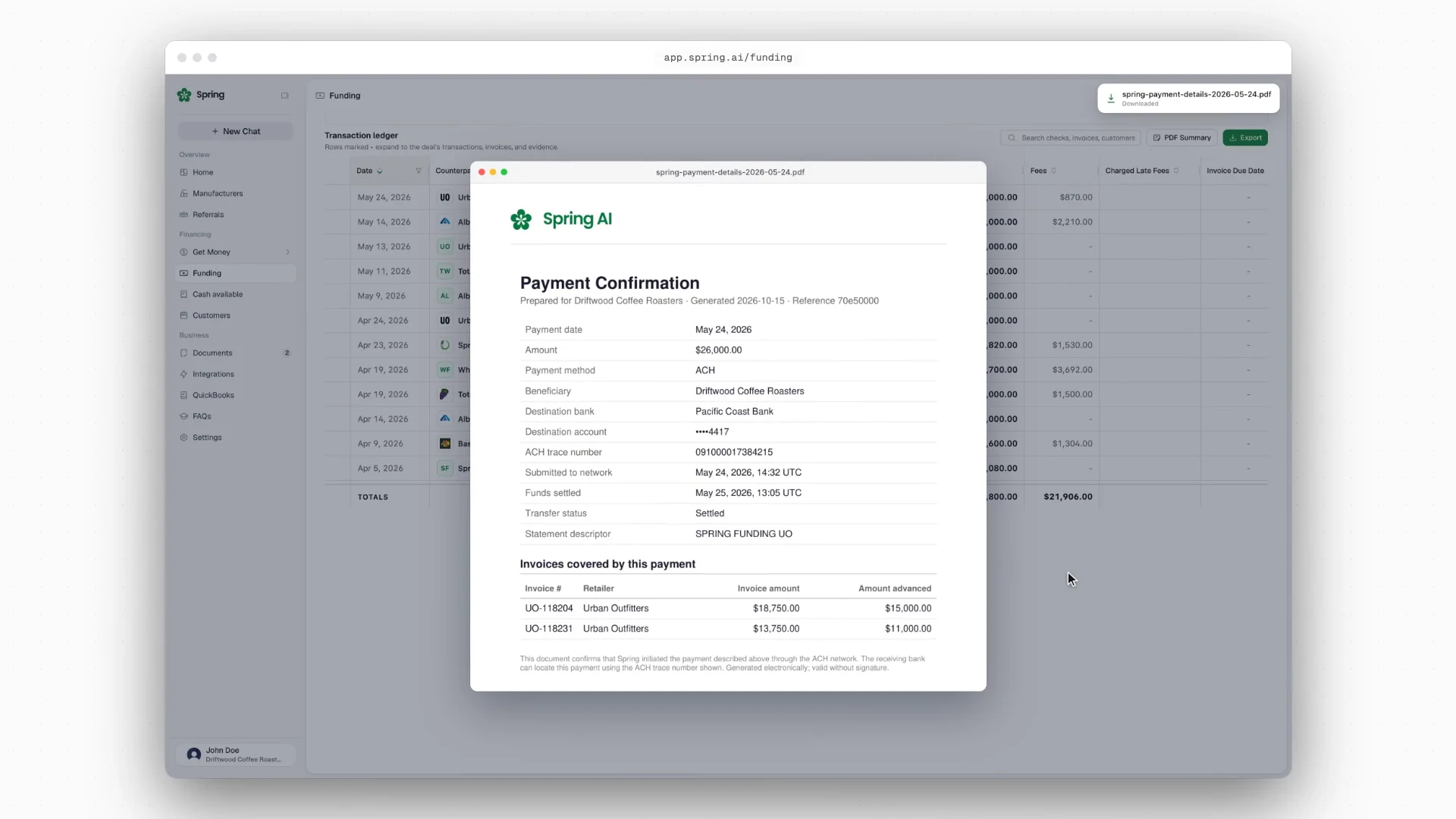 Download proof of every paymentEvery payout on your funding ledger comes with a payment confirmation you can hand to your bank or accountant.Funding Funding history
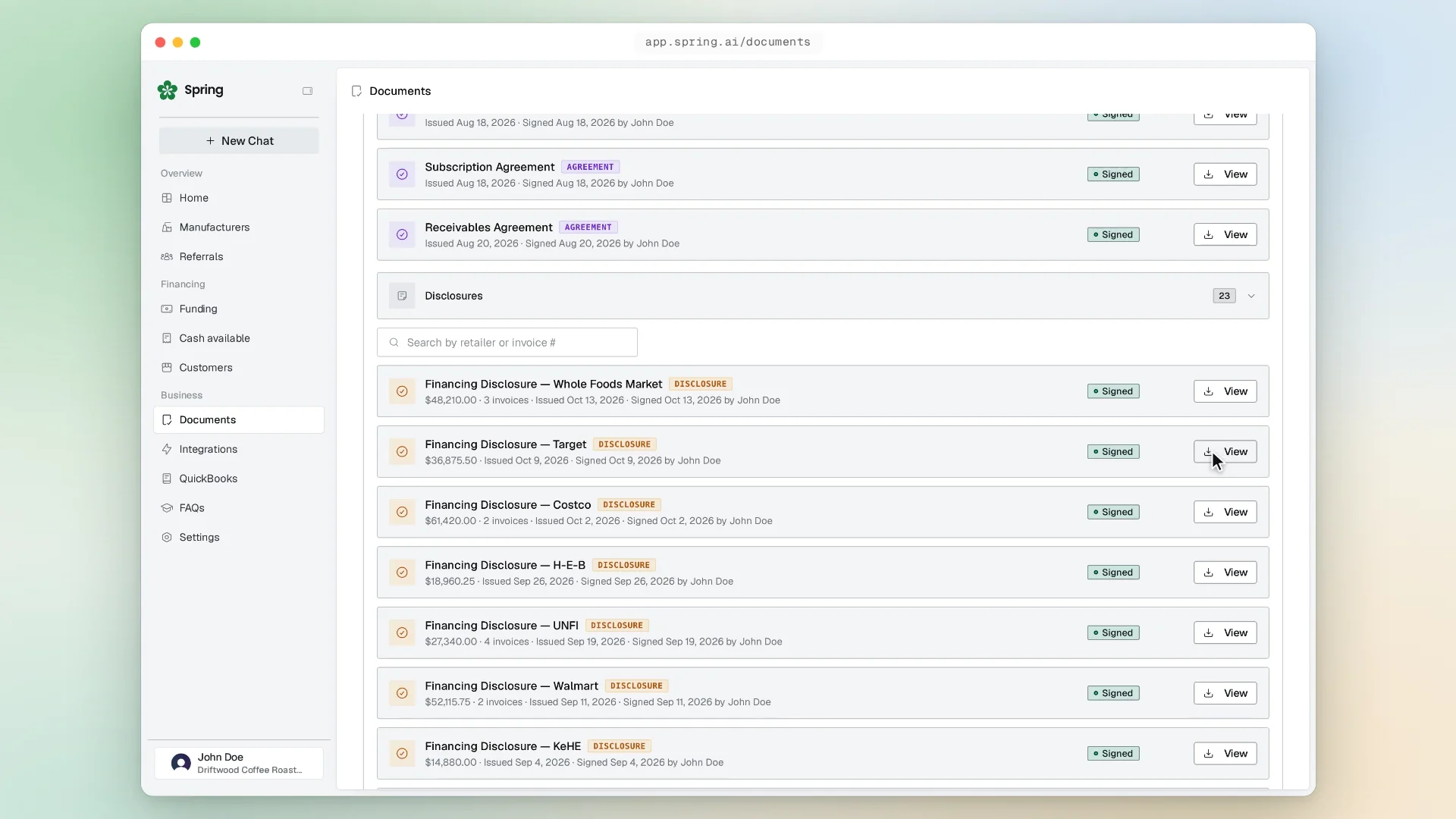 Every signed agreement in one placeYour agreements and every signed funding disclosure, ready to download from Documents.Documents Agreements